
HDMI Extender Over Ethernet, 1080P 60Hz, 164FT, PoC, EDID -HT202P
4.4Editor score
1080P 60Hz support
164ft transmission range
Power over Cable included
Discover the top HDMI over Ethernet extenders for 2026. We compare range, resolution, and features to help you choose the right signal extender.
HDMI over Ethernet technology allows you to extend high-definition video and audio signals over long distances using standard network cables. This solution is ideal for setups where traditional HDMI cables fall short, such as home theaters, offices, and commercial installations.
We evaluated ten top-rated HDMI over Ethernet extenders based on performance, distance capabilities, resolution support, and additional features like IR control and power options. Each product was selected for its reliability and value in real-world applications.
Every pick in this guide highlights key specifications and use cases to help you find the perfect extender for your needs. Please note that product availability and pricing may change, so verify details before purchasing.
4.4Editor score

4.6Editor score
4.2Editor score
This side-by-side comparison highlights the key specifications and capabilities of each HDMI over Ethernet extender to help you make an informed decision for your specific setup.


The OREI HDMI Extender Over Cat5 165ft is a reliable solution for extending HDMI signals over long distances. With a strong rating of 4.6 stars, it delivers stable performance for home and office use.
We may earn a commission when you buy through this link, at no additional cost to you.
It supports 4K@30Hz resolution and includes a Loop-Out port for local monitoring, which is ideal for dual-display setups. The PoC feature reduces power cord clutter by powering the receiver through the Ethernet cable.
While it does not support 4K@60Hz or HDMI ARC, these trade-offs are acceptable for most basic setups. The included IR cables allow remote control of source devices, adding convenience.
This extender is recommended for users needing a dependable 4K extension up to 165 feet without complex network configurations. Its plug-and-play design makes installation straightforward.
The HDMI Loop-Out port on the transmitter allows you to connect a local display while extending the signal remotely, perfect for dual-screen configurations.
Using CAT6/CAT7 cables ensures stable transmission up to 165 feet with minimal signal loss or latency.
We may earn a commission when you buy through this link, at no additional cost to you.
This HDMI Extender Over Ethernet offers excellent value for users who need 1080P extension without spending much. It receives a solid 4.4-star rating for reliable performance in office and home settings.
We may earn a commission when you buy through this link, at no additional cost to you.
The device supports 1080P at 60Hz and uses PoC to power the receiver through the Ethernet cable, reducing the need for additional adapters. EDID copy ensures the display compatibility.
While it lacks 4K support, it is perfect for standard Full HD setups like classrooms or meetings. The uncompressed HDMI transmission ensures high-quality audio and video without compression artifacts.
Buyers looking for a cost-effective solution for 1080P extension will find this extender ideal. Its plug-and-play nature makes it accessible for non-technical users.
Ideal for budget-conscious users needing reliable 1080P extension up to 164 feet without 4K requirements.
Power over Cable technology means only one adapter is needed, simplifying installations and reducing clutter.
We may earn a commission when you buy through this link, at no additional cost to you.
The OREI HDMI Over Ethernet Extender via CAT6 4K is a premium choice for high-resolution extension. With a 4.6-star rating, it supports 4K@60Hz and HDR, making it suitable for modern home theaters.
We may earn a commission when you buy through this link, at no additional cost to you.
It extends signals up to 230 feet over Cat6/Cat7 cables and includes HDR10+ and Dolby Vision support for vivid colors. The HDCP 2.2 compliance ensures compatibility with protected content.
Although it comes at a higher price, the robust metal housing and lossless transmission justify the investment. The PoC feature reduces wiring complexity by powering the receiver through the network cable.
This extender is best for users needing top-tier performance with 4K@60Hz over long distances. It is an excellent choice for professional AV setups or high-end home entertainment.
Supports 4K@60Hz with HDR10+ and Dolby Vision for immersive viewing experiences on large screens.
Transmits signals up to 230 feet without signal loss, ideal for large venues or multi-room setups.
We may earn a commission when you buy through this link, at no additional cost to you.
The OREI HDMI Splitter Extender is designed for scenarios requiring multiple displays from one source. With a 4.6-star rating, it allows you to distribute HDMI signals to four screens simultaneously over 230 feet.
We may earn a commission when you buy through this link, at no additional cost to you.
It includes four receivers and supports 4K@30Hz, making it suitable for meeting rooms or video conferencing. The IR control cables let you manage the source device remotely, and the Loop Out port enables local monitoring.
While setup is more involved than single-point extenders, the multi-screen capability is unmatched for the price. The PoC feature ensures receivers stay powered without extra adapters.
This solution is ideal for businesses needing to broadcast content across multiple displays. Its robust construction and included accessories make it a reliable choice for commercial AV.
Splits a single HDMI source to four independent displays, perfect for classrooms or conference rooms.
Includes IR cables to control source devices remotely, simplifying management of distributed setups.
We may earn a commission when you buy through this link, at no additional cost to you.
The OREI 4K@60Hz HDMI Over Cat6 Balun delivers high-bandwidth performance for 4K content. With a 4.2-star rating, it supports 18Gbps bandwidth and HDMI 2.1 features, making it suitable for modern devices.
We may earn a commission when you buy through this link, at no additional cost to you.
It extends signals up to 165 feet with HDR support and includes a Loop-Out port for local monitoring. The EDID management ensures compatibility between source and display devices without manual configuration.
While the range is shorter compared to other extenders, the bandwidth ensures smooth playback for high-resolution content. It supports various audio formats like LPCM and Dolby TrueHD for immersive sound.
This extender is recommended for users prioritizing bandwidth and 4K@60Hz support over maximum distance. It is a solid choice for home theaters and gaming setups.
Supports 18Gbps bandwidth and HDMI 2.1 features, ensuring future-proof compatibility with high-end devices.
Compatible with various audio formats including LPCM and Dolby TrueHD for high-fidelity sound.
We may earn a commission when you buy through this link, at no additional cost to you.
The 4K HDMI Extender Over Ethernet -HT275 offers an affordable option for extending 4K signals up to 230 feet. With a 4.4-star rating, it is a practical choice for long-distance connections.
We may earn a commission when you buy through this link, at no additional cost to you.
It supports 4K@30Hz and includes a Loop Out port for local monitoring. The PoC technology simplifies power management, and the included IR cables allow remote control of the source device.
While it is limited to 30Hz at 4K, it is sufficient for most static content and video streaming. The real-time uncompressed signal transmission keeps audio and video synchronized.
This extender is ideal for users needing a cost-effective solution for 4K extension over long distances. It works well for churches, classrooms, and security systems.
Provides 230 feet of 4K extension at a budget-friendly price point, suitable for large spaces.
Uncompressed transmission ensures audio and video remain synchronized, critical for live monitoring.
We may earn a commission when you buy through this link, at no additional cost to you.
The OREI KVM 4K HDMI Over Ethernet Extender adds keyboard and mouse control to HDMI extension. With a 4.2-star rating, it allows remote control of PCs alongside video transmission over Cat7 cables.
We may earn a commission when you buy through this link, at no additional cost to you.
It supports 4K@60Hz and includes a 3.5mm audio output for extracting sound at the receiver end. The KVM extension is useful for managing computers remotely without needing physical access.
While the KVM feature is limited to USB 1.1, it is sufficient for basic input needs. The Loop Out port on the transmitter enables local monitoring during remote sessions.
This extender is recommended for IT professionals needing KVM control and 4K extension in one device. It is a solid choice for server rooms or remote desktop setups.
Extends USB keyboard and mouse signals to control PCs remotely alongside video output.
Includes a 3.5mm stereo audio output for connecting external speakers at the receiver end.
We may earn a commission when you buy through this link, at no additional cost to you.
This 4K HDMI Extender offers versatile installation options with mounting holes for fixed setups. With a 4.3-star rating, it supports 4K@30Hz and works with various cable types for broad compatibility.
We may earn a commission when you buy through this link, at no additional cost to you.
It extends signals up to 230 feet and includes a Loop Out port for local monitoring. The included mounting holes simplify wall installation, making it suitable for permanent installations in offices or churches.
While it is limited to 30Hz at 4K, it provides stable performance for standard video content. The PoC technology reduces wiring complexity by powering the receiver through the Ethernet cable.
Buyers needing a flexible solution with easy wall mounting will appreciate this extender. It is ideal for classrooms and outdoor screens where secure installation is necessary.
Includes mounting holes on both transmitter and receiver for secure wall installation in fixed setups.
Works with CAT5e, CAT6, and CAT7 cables, offering flexibility in cable selection and cost.
We may earn a commission when you buy through this link, at no additional cost to you.
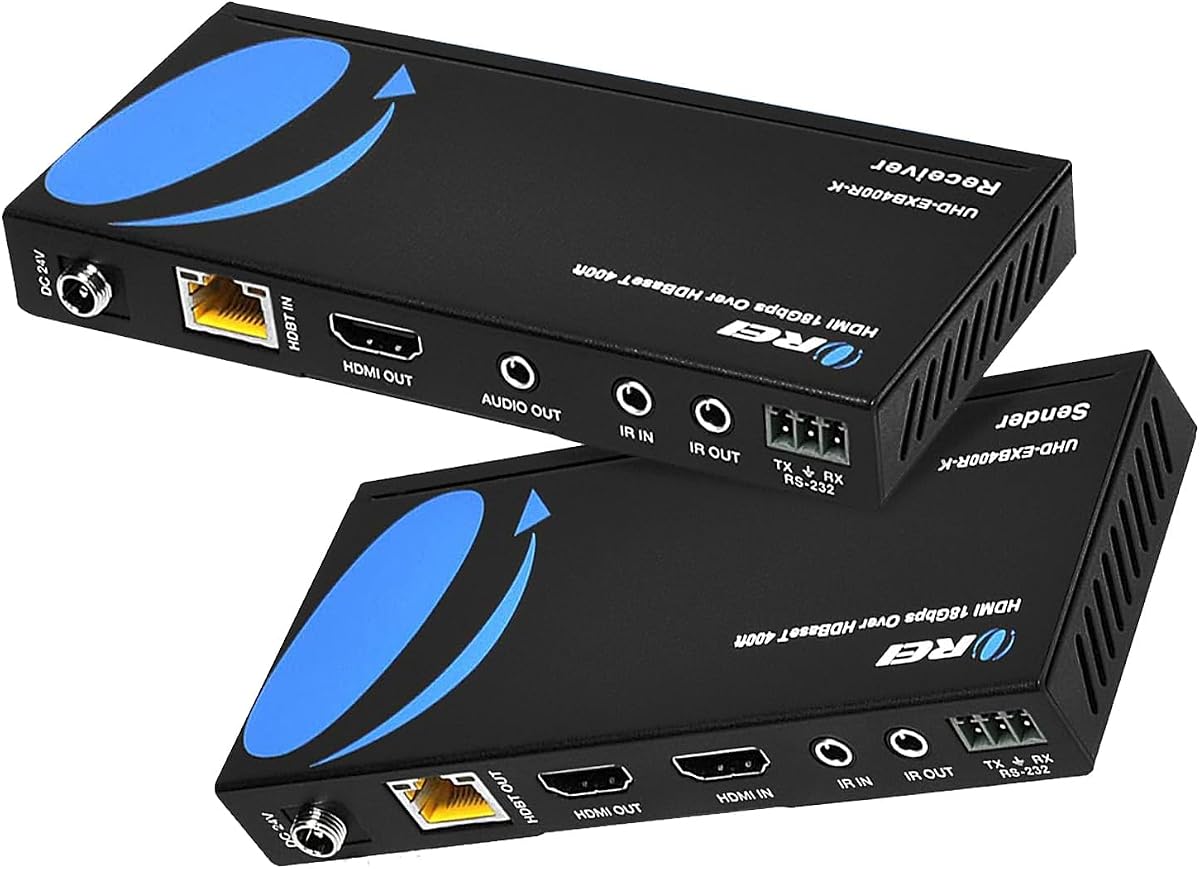
The OREI HDMI Extender HDBaseT is built for professional installations requiring maximum range and control. With a 4.2-star rating, it extends signals up to 400 feet using HDBaseT technology for lossless transmission.
We may earn a commission when you buy through this link, at no additional cost to you.
It includes an RS-232 control port for device management and supports two-way IR for bi-directional control. The 4K@60Hz support ensures compatibility with modern high-resolution sources.
While it requires matching OREI transmitter and receiver units, the advanced control features justify the complexity. This model is designed for AV professionals managing large-scale installations.
This extender is ideal for venues requiring 400 feet of transmission with advanced control options. It is a top choice for conference centers and control rooms.
Includes RS-232 control port and two-way IR for advanced device management in professional environments.
Uses HDBaseT technology to achieve up to 400 feet of lossless signal transmission without repeaters.
We may earn a commission when you buy through this link, at no additional cost to you.
The PWAY 4K HDMI Extender is designed for easy installation with mounting holes and simple setup. With a strong 4.6-star rating, it supports 4K@30Hz and offers reliable performance for home theater use.
We may earn a commission when you buy through this link, at no additional cost to you.
It extends signals up to 230 feet and includes a Loop Out port for local monitoring. The PoC technology reduces the need for multiple power adapters, simplifying the installation process.
While it lacks advanced control features, its simplicity and high rating make it a reliable choice for basic 4K extension. The mounting holes ensure it stays secure in place.
This extender is best for users prioritizing ease of installation and value. It is a solid choice for home setups needing straightforward 4K extension over long distances.
Mounting holes included on both units allow for easy wall mounting and stable placement.
Delivers 4K@30Hz and 1080P signals reliably up to 230 feet with minimal latency.
We may earn a commission when you buy through this link, at no additional cost to you.
Selecting the right HDMI over Ethernet extender depends on several key factors that affect performance and compatibility with your devices.
Consider how far you need to extend the HDMI signal. Some models support up to 165 feet at 4K, while others reach 230 feet or even 400 feet at 1080P.
Match the extender's maximum distance to your specific room layout and cabling capabilities for optimal performance.
Choose a model that supports the resolution and refresh rate your display requires. 4K@60Hz requires higher bandwidth than 4K@30Hz or 1080P.
Ensure the extender matches your source device's capabilities to avoid performance limitations or image quality issues.
PoC technology allows the receiver to be powered through the Ethernet cable, reducing the need for multiple power adapters.
Look for PoC support if you want a cleaner installation with fewer cables and adapters in hard-to-reach areas.
If you need to control source devices remotely, choose an extender with IR pass-through or control cables.
Two-way IR offers more flexibility for control compared to one-way IR pass-through options.
A Loop Out port allows you to connect a local display to the transmitter while extending the signal remotely.
This feature is useful for setups requiring both local monitoring and remote display output.
EDID management ensures that the source device recognizes the connected display's capabilities and selects the correct resolution.
Look for EDID copy or clone features to guarantee stable video output and compatibility with different displays.
Check if the extender supports the audio formats you need, such as LPCM, Dolby TrueHD, or DTS-HD.
Some models include analog audio outputs for connecting external speakers at the receiver end.
Metal housings protect internal components and aid in heat dissipation, which is critical for long-term reliability.
Choose a model with solid build quality and warranty support to ensure longevity in professional or frequent-use environments.
Connect the HDMI source to the transmitter and the receiver to the display using standard HDMI cables. Ensure all devices are powered on before connecting the Ethernet cable.
Run a quality Cat6 or Cat7 Ethernet cable between the transmitter and receiver. Avoid bending the cable sharply to maintain signal integrity over long distances.
Secure the transmitter and receiver in place using mounting holes if available. Regularly check connections to ensure stable performance over time.
HDMI over Ethernet allows you to extend HDMI signals over long distances using standard network cables. It converts HDMI data for transmission over Cat5e, Cat6, or Cat7 cables.
Most HDMI over Ethernet extenders do not support HDMI ARC. You may need to use alternative methods for audio return channels with these devices.
Most extenders support up to 165 feet at 4K resolution over Cat6. Some models support longer distances at 1080P resolutions like 230 feet.
Most HDMI over Ethernet extenders are plug-and-play and do not require software drivers. They work automatically once connected properly.
HDMI extenders usually include HDMI cables, IR cables for control, and power adapters. Ethernet cables are typically sold separately.
Most HDMI extenders work with gaming consoles as long as resolution and refresh rates are supported. Some models may have limitations with high refresh rates.
The OREI HDMI Over Ethernet Extender via CAT6 4K stands out as the top pick for its balance of performance and features. It supports 4K@60Hz with a long 230ft range and reliable HDR capabilities.
When choosing an extender, prioritize resolution and distance needs based on your setup. Budget-friendly options like the HT202P offer great value for 1080P applications.
Always check current product availability and pricing before purchasing to ensure you get the best deal for your needs. Prices can fluctuate, so comparing at the time of purchase is recommended.