
GOLDENMATE 2000VA Lithium
4.4Editor score
LiFePO4 Battery Technology
1600W Pure Sine Wave
10 Year Lifespan
This guide compares the top 10 battery backup for workstation PC units including CyberPower and GOLDENMATE models to help you choose reliable power protection.
Finding a reliable battery backup for workstation PC systems is critical for maintaining productivity and protecting valuable hardware from unexpected power failures. Modern workstations often require high wattage and stable power delivery to prevent data loss during surges or outages. Selecting the right unit ensures your equipment remains safe and operational when the grid fails unexpectedly.
We evaluated ten leading models based on their capacity, output waveform, outlet configuration, and additional features like voltage regulation and monitoring software. Our analysis focuses on units that provide true sine wave output or sufficient simulation for active power factor correction supplies. Each product was assessed for reliability, warranty coverage, and suitability for professional computing environments.
Each pick in this list highlights specific strengths such as extended runtime, eco modes, or advanced connectivity options for networked workstations. Please note that pricing and availability can fluctuate frequently due to market demand and supply chain adjustments. Always verify current specifications and warranties before finalizing your purchase decision for your specific setup.
4.4Editor score

4.5Editor score

4.2Editor score
This side by side comparison outlines the key specifications and capabilities of each selected battery backup unit to help you identify the best fit for your workstation needs.




This unit represents the gold standard for workstation protection with its pure sine wave output designed specifically for computers with active power factor correction. It holds a strong rating from users who value reliable power quality during critical work sessions. The advanced features ensure that sensitive electronics receive clean energy without interruption.
We may earn a commission when you buy through this link, at no additional cost to you.
The 1500VA capacity provides ample power to run high end workstations along with monitors and networking gear during a grid outage. Its Automatic Voltage Regulation corrects minor fluctuations without draining the battery, which extends the overall lifespan of the internal cells. The color LCD panel gives immediate visual feedback on load levels and remaining runtime so you can manage your shutdown process effectively.
While the price point is higher than basic models the investment is justified by the superior wave form and robust construction. The unit is physically larger and heavier which might require dedicated floor space in a compact office setup. However the protection offered against electrical surges and blackouts outweighs these minor physical inconveniences for professional environments.
If you are running a high performance workstation that cannot afford even a millisecond of power interruption this is the ideal choice. It balances capacity, output quality, and monitoring tools perfectly to meet demanding professional standards. We recommend this model for users who prioritize equipment safety and continuous operation over initial cost savings.
The PFC Sinewave technology ensures that active power factor correction power supplies operate efficiently without generating heat or errors during backup mode.
The tilting color LCD screen displays detailed power conditions allowing users to anticipate issues before they impact critical equipment or cause downtime.
We may earn a commission when you buy through this link, at no additional cost to you.
This model stands out by using Lithium Iron Phosphate technology which provides a significantly longer operational life compared to traditional lead acid batteries. It is rated for over 3000 charge cycles making it a long term solution for businesses planning to keep systems running for a decade. The pure sine wave output guarantees compatibility with all types of workstation power supplies.
We may earn a commission when you buy through this link, at no additional cost to you.
The 2000VA capacity allows you to support high wattage components like powerful graphics cards and multiple monitors without risking overload. Automatic Voltage Regulation keeps the power stable during fluctuations preventing unnecessary battery drains during minor brownouts. The unit includes a communication port that enables automatic safe shutdown of Windows PCs when battery reserves run low.
The main trade off is the physical weight and size due to the robust transformer and battery pack required for lithium support. You must also ensure your outlet voltage matches the 90 to 140 volt input requirement as generators might not be recognized correctly. Despite these factors the longevity and reliability make it a premium choice for critical infrastructure.
Users looking to replace aging battery units with a set it and forget it solution will find this unit highly rewarding. It eliminates the need for frequent battery replacements and reduces long term maintenance costs significantly. We recommend this for professional studios or servers where uptime and battery longevity are the highest priorities.
The LiFePO4 battery chemistry provides over ten years of service and more than 3000 charge cycles reducing replacement frequency and cost.
Delivering 1600 watts of continuous power this unit can handle heavy workstation loads that lower capacity UPS models might struggle to support.
We may earn a commission when you buy through this link, at no additional cost to you.
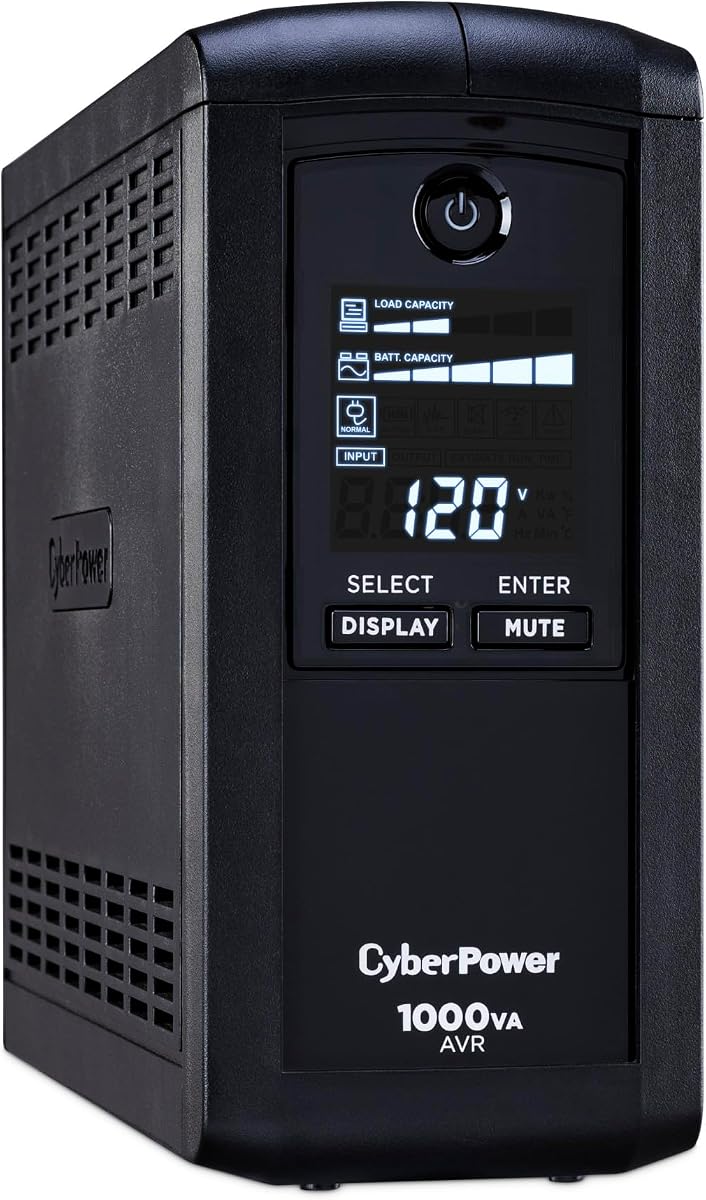
This unit brings the benefits of PFC Sinewave technology to a more accessible price point making it ideal for smaller workstations or home offices. It offers the same wave form quality as more expensive models ensuring safe operation for active power factor correction supplies. The color LCD keeps you informed about battery status without needing to navigate complex menus.
We may earn a commission when you buy through this link, at no additional cost to you.
The 1000VA capacity is sufficient for standard desktop systems plus a monitor and some peripherals without overtaxing the internal battery. It includes two USB charge ports so you can keep a phone or tablet powered up during an outage. Automatic Voltage Regulation helps preserve battery life by correcting minor power issues without switching to battery power unnecessarily.
The primary limitation is the lower wattage which means it cannot support high performance gaming rigs or multiple large monitors simultaneously. It is best suited for light to medium duty computing tasks where cost is a major factor in the decision. The build quality is solid and the warranty covers both the unit and the battery for peace of mind.
For users who need reliable protection on a budget this model delivers excellent value without compromising on essential wave form quality. It ensures your data remains safe during short interruptions while keeping the overall investment low. We recommend this for general office PCs or small workstations that do not demand maximum power capacity.
This model offers true sine wave protection at a budget friendly price point ensuring safe operation for sensitive PFC compatible equipment.
The inclusion of both Type A and Type C USB ports allows for convenient charging of mobile devices when the main power is unavailable.
We may earn a commission when you buy through this link, at no additional cost to you.
This unit offers a high 1500VA capacity with a color LCD panel that makes it easy to monitor power conditions in real time. It is designed to protect a wide range of devices including workstations and home entertainment systems effectively. The intelligent interface provides detailed alerts about potential issues before they affect your critical equipment.
We may earn a commission when you buy through this link, at no additional cost to you.
The simulated sine wave output is generally fine for standard power supplies but may cause issues with active power factor correction units. You should check your power supply specs before relying on this for high end workstation gear. However for general office setups it provides ample power and outlets for computers and network gear.
While it shares similar capacity with sine wave options the wave form difference is a key consideration for advanced computing needs. The price is competitive but you might get better long term protection for active PFC equipment with a true sine wave alternative. The warranty and equipment guarantee offer standard coverage for peace of mind.
This model is well suited for users who need a high capacity unit for non PFC systems and value visual monitoring. It offers a good balance of features for home offices or small businesses with moderate power needs. Consider your specific power supply requirements when choosing this over a pure sine wave unit.
The color LCD panel provides immediate detailed information on battery and power conditions helping you manage usage effectively.
With 1500VA capacity this unit can support multiple devices including desktops monitors and routers during a power outage.
We may earn a commission when you buy through this link, at no additional cost to you.
This model introduces an ECO mode feature that automatically cuts power to peripherals when your computer is off or sleeping. This helps reduce energy waste and lowers operational costs for offices with many idle machines. The LCD panel provides clear status updates so you can verify protection status at a glance.
We may earn a commission when you buy through this link, at no additional cost to you.
The 850VA capacity is suitable for single workstation setups and basic networking equipment. It offers 12 outlets which provides good flexibility for routers and monitors alongside the main PC. The unit maintains standard protection against surges and blackouts to keep your data secure during interruptions.
While the ECO mode is a nice touch the lower wattage limits its use to lighter workloads. It is not ideal for high performance computing or heavy multitasking environments requiring constant power. The simulated wave form is acceptable for most consumer grade supplies but check compatibility if you have specialized gear.
This unit is a smart choice for cost conscious users who want to save on electricity while keeping their gear protected. It works well for standard office PCs where power savings are a priority over maximum runtime. Consider it if you need many outlets and want to reduce overall energy footprint.
ECO mode automatically shuts off power to connected peripherals when the main computer is in sleep mode to reduce energy costs.
Twelve outlets allow you to connect a variety of devices including printers and routers alongside your main workstation.
We may earn a commission when you buy through this link, at no additional cost to you.
This unit stands out for its data line protection which shields connected phones from power surges traveling through telephone lines. It ensures that your voice and fax equipment remains safe alongside your computer during electrical storms. The high rating reflects reliable performance in typical home and small office settings.
We may earn a commission when you buy through this link, at no additional cost to you.
The 900VA capacity is sufficient for standard desktops and network gear without issues. It includes 12 outlets allowing for extensive peripheral connections. Automatic Voltage Regulation maintains stable power delivery which helps extend the life of the internal battery during minor fluctuations.
The simulated sine wave works well for non PFC power supplies but is not intended for specialized active rectification hardware. The lower wattage makes it less suitable for high end gaming or rendering workstations. However it offers robust protection for general computing and communication devices effectively.
If you have landlines or modems connected to your network this is a valuable addition to your protection setup. It covers both your computer and communication lines in one device saving space and cost. Choose this for reliable basic protection with added data line security.
Includes protection for telephone and data lines to prevent surges from damaging modems and routers during electrical events.
Automatic Voltage Regulation corrects minor power fluctuations without draining the battery ensuring longer life and stable power.
We may earn a commission when you buy through this link, at no additional cost to you.
This unit provides an intelligent LCD display that shows estimated runtime and battery capacity in real time. It simplifies monitoring by giving you a clear view of how long your system can run during an outage. The design is straightforward and focuses on core protection features without extra complexity.
We may earn a commission when you buy through this link, at no additional cost to you.
The 1000VA capacity supports standard workstation setups including monitors and routers. Automatic Voltage Regulation helps maintain stable power and reduces wear on the battery. You get nine outlets which is sufficient for most desktop configurations without cluttering the power strip.
The simulated sine wave is suitable for most standard power supplies but may not be ideal for active PFC systems. The number of outlets is slightly lower than some competitors limiting options for many peripherals. However the core protection and display features make it a solid performer.
This model is a great choice for users who prioritize clear status monitoring and reliable basic protection. It balances performance and simplicity well for standard office computing needs. Consider this if you want a straightforward solution with essential voltage regulation features.
The multifunction LCD panel displays detailed information including estimated runtime and load capacity for better power management.
Automatic Voltage Regulation corrects power fluctuations without switching to battery power extending the overall life of the battery.
We may earn a commission when you buy through this link, at no additional cost to you.
This model features a slim profile design that makes it easy to place under a desk or in tight spaces. It uses high efficiency components to reduce power consumption and heat generation during normal operation. It is a practical choice for home offices where space is at a premium.
We may earn a commission when you buy through this link, at no additional cost to you.
The 900VA capacity handles standard computing loads effectively. You get 12 outlets with some widely spaced to accommodate bulky adapters. This layout ensures that you can connect a range of devices without blocking adjacent sockets.
The simulated sine wave is basic and may not support specialized active PFC equipment reliably. The wattage is lower than premium units so it is not suited for heavy workloads. However for light office use it offers excellent convenience and value.
Choose this if you need a compact solution that saves space without sacrificing outlet count. It is well suited for home entertainment systems and basic workstation setups. Its efficiency and slim design make it a practical pick for restricted areas.
The slim profile allows for easy installation under desks or in tight areas where larger units would not fit.
GreenPower UPS design reduces power consumption for an ultra efficient backup system suitable for office and home use.
We may earn a commission when you buy through this link, at no additional cost to you.
This model offers a compact solution with an LCD display for monitoring power conditions clearly. It provides basic protection for standard computing equipment with a focus on reliability and ease of use. The high rating indicates consistent performance in typical home environments.
We may earn a commission when you buy through this link, at no additional cost to you.
The 850VA capacity supports standard desktops and monitors adequately. Automatic Voltage Regulation helps stabilize input power to extend battery life. You get nine outlets for connecting your computer and essential peripherals effectively.
The limited capacity means it is not ideal for high performance workstations or gaming rigs. The wave form is standard simulated sine which may not suit all advanced supplies. However for general use it delivers solid protection at a reasonable price.
Select this for small offices or home setups that need basic protection without complex features. It is easy to use and offers good value for standard equipment. Ensure your power draw matches the 850VA rating for best results.
The LCD panel provides immediate detailed information on battery conditions and estimated runtime for better preparedness.
Automatic Voltage Regulation corrects minor fluctuations without switching to battery power to extend battery life.
We may earn a commission when you buy through this link, at no additional cost to you.
This unit stands out with an impressive five year warranty which provides peace of mind for long term use. It offers high capacity power suitable for a wide range of workstation and network setups. The color LCD makes monitoring status intuitive and convenient during normal use.
We may earn a commission when you buy through this link, at no additional cost to you.
The 1500VA capacity allows you to run multiple monitors and a powerful desktop. You get 12 outlets plus USB ports for mobile devices. The simulated sine wave works for standard supplies but check if your PSU supports it.
While the warranty is excellent the simulated wave might be a limitation for active PFC hardware. The price is high but the coverage and capacity justify it for general business use. It is a robust option for offices with varied power needs.
Choose this if you want strong warranty coverage and high capacity for standard office equipment. It is a reliable workhorse for general computing environments. Prioritize this if long term support and capacity are your main concerns.
A five year warranty covers the battery and unit providing exceptional long term peace of mind.
With 1500VA capacity this unit can support heavy workstation loads and multiple peripheral devices effectively.
We may earn a commission when you buy through this link, at no additional cost to you.
Selecting the right battery backup requires understanding your power needs and the types of equipment you need to protect from electrical issues.
True sine wave output is essential for computers with active power factor correction power supplies as simulated waves can cause instability. If your system has a PFC PSU you should prioritize models labeled as PFC Sinewave or Pure Sine Wave for safe operation.
Always check your power supply compatibility before choosing a simulated sine wave unit to avoid unexpected shutdowns or hardware errors during outages.
The VA and wattage rating must exceed the total power draw of your workstation and peripherals to ensure adequate runtime. Higher wattage allows for more components and longer backup time which is critical for large workstations with multiple monitors.
Calculate the total power usage of your equipment and select a unit with at least twenty percent more capacity than your measured load.
AVR adjusts input voltage to safe levels without using battery power which extends the life of the internal cells significantly. This feature is crucial for areas with frequent brownouts or unstable power grids where constant battery switching would degrade the battery.
Look for units that explicitly mention AVR to ensure your battery lasts longer and your power remains stable without unnecessary draining.
Ensure the unit has enough outlets to cover your PC monitor router and other peripherals without needing extra power strips. Spaced outlets are important to accommodate large power adapters that might block adjacent sockets in dense setups.
Select a model with a mix of battery backed and surge protected outlets to balance runtime and protection for your entire workspace.
Lithium Iron Phosphate batteries offer much longer lifespans and higher efficiency than traditional lead acid batteries. While they cost more upfront they reduce the total cost of ownership by avoiding frequent replacements over the years.
If you plan to use the unit for ten years consider a lithium model to avoid maintenance and replacement costs associated with lead acid chemistry.
A communication port or USB connection allows the UPS to signal your computer to shut down safely when battery reserves run low. This feature prevents data loss and potential hardware damage during extended power outages that exceed runtime capacity.
Prioritize models with software support or automatic shutdown capabilities if you rely on unattended systems or long running processes.
A longer warranty period indicates manufacturer confidence in the product and provides better protection for your investment. Look for coverage that includes the battery itself since it is the component that degrades over time.
Choose brands that offer clear connected equipment guarantees and responsive support channels to resolve issues quickly when they arise.
A clear LCD panel with color options makes it easier to monitor load and battery status without needing a connected computer. Visual alerts help you understand power conditions quickly during critical moments of an outage.
Select units with readable displays that show runtime and load capacity so you can manage your shutdown process confidently.
Place the unit on a flat dry surface away from direct sunlight to ensure proper ventilation and cooling. Avoid stacking items on top of the UPS as this can trap heat and reduce battery life.
Charge the unit fully before first use and plug it directly into a wall outlet rather than a surge strip. This ensures the UPS receives stable power for recharging without interference from other devices.
Test the battery periodically by unplugging the unit to verify it switches to backup power correctly. Replace the battery according to manufacturer recommendations when you notice reduced runtime or frequent alarms.
Yes if your power supply has active power factor correction you should use a pure sine wave UPS to ensure stable operation. Standard simulated wave units may cause power supply instability or noise with these systems.
Runtime depends on your total wattage draw but typically a 1000VA unit provides 10 to 20 minutes for standard office setups. Higher wattage components will reduce this time significantly.
Many UPS models may not recognize generator power due to frequency or voltage issues. Check the manual before use as some units may remain in battery mode if generator power is invalid.
Lead acid batteries typically need replacement every three to five years. Lithium batteries can last up to ten years. Monitor runtime to determine when capacity is significantly reduced.
Yes AVR corrects minor voltage fluctuations without switching to battery power. This reduces wear on the battery and extends its usable life.
No laser printers draw high surge power that can overload a UPS. Only plug low surge devices like computers and monitors into battery backed outlets.
The CyberPower CP1500PFCLCD remains the top recommendation for most users due to its pure sine wave output and reliable performance. For those seeking long term value the GOLDENMATE Lithium option offers a decade of service with minimal maintenance.
Prioritize true sine wave technology if you have active PFC power supplies and consider capacity requirements carefully. Your budget should balance against the need for runtime and features like communication ports or automatic shutdown.
Always verify the current price and warranty terms before buying since these details can change frequently. Selecting the right unit ensures your workstation stays protected during electrical disturbances.