
MFi Certified USB 3.0 Flash Drive
4.3Editor score
128GB Affordable Capacity
3in1 Universal Connectivity
Durable Metal Construction
This guide compares the top ten flash drives for iPhone to help you find reliable external storage for photos and videos on your iOS device quickly.
Finding reliable external storage for your iPhone can be challenging with limited cloud options and expensive upgrade fees. A good flash drive offers a practical solution to expand your capacity without needing a new device.
We compared ten top-rated products based on compatibility, speed, durability, and ease of use to bring you this definitive list. Each option was evaluated for its ability to handle media files and backup needs efficiently.
Every pick highlights key features and real-world performance to help you make an informed decision. Please note that pricing and availability may change over time so verify details before purchasing your drive.
4.3Editor score

4.4Editor score

4.3Editor score
Below you will find a side-by-side comparison of all ten products to help you visualize differences in capacity and connectivity options quickly.


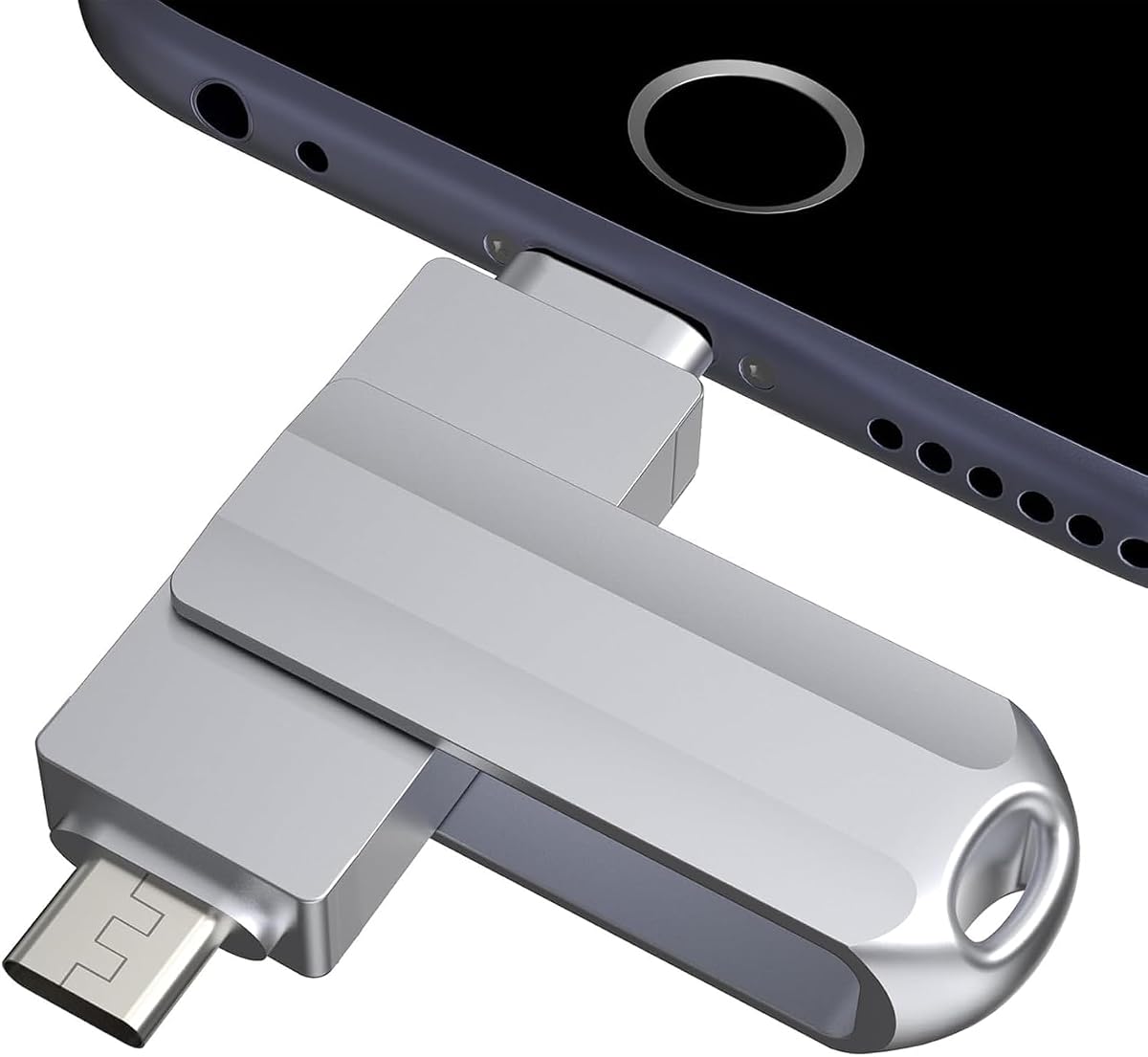


This MFi Certified drive stands out as the top choice for most users due to its robust feature set and reliable performance. With a 256GB capacity it handles large photo libraries and video backups with ease making it ideal for power users.
We may earn a commission when you buy through this link, at no additional cost to you.
The standout feature is the one-click backup functionality via the U-Disk app which simplifies saving content significantly. It supports automatic storage of camera photos and files music playback for on-the-go entertainment without needing cables.
While it requires an app for iOS devices this is standard for secure transfers and adds encryption options for sensitive files. The metal construction ensures durability against drops and dust but the keychain adds minor bulk to your bag.
If you need a reliable storage solution for iPhone and iPad this drive offers the best balance of capacity security and speed. It is perfect for travelers and professionals who need consistent access to their media across multiple devices.
The U-Disk app allows you to backup photos and videos instantly freeing up device space without hassle.
You can encrypt files or the whole drive using Touch ID or Passcode to keep your data private.
We may earn a commission when you buy through this link, at no additional cost to you.
This drive delivers excellent value for those seeking MFi Certified storage without breaking the bank. The 128GB capacity is suitable for average users wanting to free up space for photos and videos while keeping costs low.
We may earn a commission when you buy through this link, at no additional cost to you.
It shares many features with the top pick including one-click backup and sharing capabilities through the app interface. The metal build provides protection and the keychain ensures you never lose it while on the go.
The lower capacity means it may not suit users with massive video libraries but works well for periodic backups. Compatibility across iOS Android and PC makes it a versatile tool for mixed device environments without extra adapters.
For budget-conscious buyers who still demand certification and performance this drive is the clear winner. It balances cost and functionality perfectly for students or casual users needing reliable external storage for their iPhone.
You get certified safety and high-speed transfer at a fraction of the cost of premium options.
The included keychain keeps the drive attached to your keys to prevent loss during travel.
We may earn a commission when you buy through this link, at no additional cost to you.
SanDisk brings its renowned reliability to this premium option supporting both older Lightning and newer USB-C iPhones natively. The 256GB capacity offers ample space for high-quality media and the brand ensures long-term durability.
We may earn a commission when you buy through this link, at no additional cost to you.
The Memory Zone app provides advanced backup tracking and partial support which is useful for users with limited phone storage. Encryption tools allow password protection for important content ensuring your private data remains secure on the drive.
While the price is higher than generic options the build quality and dual connector support justify the cost for many. It integrates well with iOS Files app but full features still rely on the SanDisk app for smooth operations.
Choose this drive if you want a trusted brand and seamless transition between iPhone generations. It is ideal for professionals who need dependable storage and value the convenience of a single drive for multiple iOS models.
Support both Lightning and USB-C iPhones with one drive ensuring compatibility across device generations.
The app offers real-time progress tracking to ensure your files transfer completely and correctly.
We may earn a commission when you buy through this link, at no additional cost to you.
Lexar delivers raw speed with this drive offering read rates up to 400MB/s which is exceptional for its size. It targets modern devices with USB-C ports and provides a durable metal housing to protect your data and physical drive.
We may earn a commission when you buy through this link, at no additional cost to you.
The free Lexar app includes a photo backup feature that simplifies managing media on both iOS and Android systems. While iCloud support is not included it still offers a robust way to manage local files efficiently.
The 128GB capacity is standard for this class but the speed advantage is a major plus for large file transfers. However users with older Lightning iPhones will need an adapter or a different drive for full compatibility.
If speed is your priority and you use USB-C devices this drive is an excellent choice. Its high rating reflects user satisfaction with performance and build quality making it a strong contender for tech-savvy buyers.
Experience read speeds up to 400MB/s for rapid file movement and efficient workflow management.
The durable metal housing protects against physical damage and helps with heat dissipation during use.
We may earn a commission when you buy through this link, at no additional cost to you.
This drive combines high capacity with a practical retractable design to keep connectors safe from damage when not in use. It is MFi Certified for iPhone use and supports four interfaces including Micro USB and Type-C for broad compatibility.
We may earn a commission when you buy through this link, at no additional cost to you.
One-click backup allows quick saving of multiple files without tedious copying. It supports encryption to protect personal data and direct playback for media files making it convenient for entertainment purposes on the go.
While the rating is slightly lower than top picks it still offers solid performance for basic needs. The aluminum build ensures durability and the keychain attachment prevents accidental loss during daily transport or travel.
For those seeking a balance of capacity and portability this drive is a solid option. It is particularly useful for users who need to move files across various device types without carrying multiple storage solutions.
The retractable design protects the connector from damage and reduces the risk of losing small parts.
Supports USB Lightning Micro USB and Type-C so you can connect to almost any device easily.
We may earn a commission when you buy through this link, at no additional cost to you.
This drive offers a stylish champagne silver finish with a practical 360-degree swivel design for easy connector access. It features USB-A and Type-C ports making it compatible with modern laptops and USB-C smartphones without cables.
We may earn a commission when you buy through this link, at no additional cost to you.
Transfer speeds are standard at up to 100MB/s which is sufficient for documents and photos though not for massive video files. The metal enclosure withstands temperature variations and protects the connectors effectively during daily use.
The 3-year limited warranty adds peace of mind for users concerned about long-term reliability. It works with Windows Android Mac and traditional Type-A devices making it versatile for office or home environments.
Choose this option if you value design and durability alongside solid performance. It is a great choice for professionals who need a stylish storage solution for their laptop and mobile devices while keeping things simple.
The 360-degree swivel design allows you to switch between connectors without removing caps or adapters.
Backed by a three-year limited warranty to ensure you are covered if any issues arise later.
We may earn a commission when you buy through this link, at no additional cost to you.
This drive stands out with an impressive 512GB capacity offering ample space for extensive media libraries and backups. It features USB-C and iOS connectors for easy transfers between devices while including a USB-A adapter for computer use.
We may earn a commission when you buy through this link, at no additional cost to you.
The mFlash app simplifies file management and transfer processes making it accessible for users who prefer app interfaces. It supports copying and moving various file types efficiently and works well for daily backups or travel needs.
Note that it is not compatible with Micro-USB devices so older phones may not work without specific adapters. The USB-A adapter ensures you can still access files on traditional computers without needing extra dongles or cables.
Ideal for users who need significant storage space for videos and photos this drive is highly recommended. Its high rating reflects user satisfaction with capacity and ease of use for managing large collections on the go.
With 512GB you can store thousands of photos and hours of video without worrying about space limits.
The included adapter ensures seamless connection to laptops and desktops for easy file management.
We may earn a commission when you buy through this link, at no additional cost to you.
This drive offers a classic design with MFi certification to ensure safety and performance for iPhone users. The metallic silver finish looks professional and the metal material adds significant durability against environmental factors like dust and drops.
We may earn a commission when you buy through this link, at no additional cost to you.
It provides one-click backup via an app and supports sharing directly to social media platforms from the drive. The read speed of up to 80 MB/s is decent for photos and documents though write speeds are lower at 40 MB/s.
Features like file encryption add security for sensitive data while the keychain prevents accidental loss during transport. It works with iOS Android and PC making it a versatile choice for mixed device ecosystems and office use.
For those seeking a reliable standard option without premium pricing this drive fits the bill well. It balances capacity and portability for everyday use and provides the essential protection needed for valuable files and memories.
The high-quality metal material offers waterproof and dustproof protection to keep your drive safe in various conditions.
Directly share photos and videos from the drive to social media for instant access with friends and family.
We may earn a commission when you buy through this link, at no additional cost to you.
This drive boasts ultra-fast read speeds of up to 550MB/s making it ideal for transferring large high-resolution files quickly. It features a dual USB-C and USB-A design to connect easily with smartphones and computers without extra cables.
We may earn a commission when you buy through this link, at no additional cost to you.
The zinc alloy shell provides excellent protection against abrasion and falling ensuring your data remains secure during travel. It works with Windows Android Mac and smart TVs without software installation for true plug-and-play convenience.
While it does not support Lightning ports it is perfect for modern USB-C iPhones and Android devices with OTG support. The default EXFAT format ensures compatibility across most systems and allows seamless file movement between different platforms.
Choose this drive if you prioritize speed and durability for modern devices. It is particularly useful for professionals handling large video projects or users who need rapid access to files across multiple tech environments.
Read speeds up to 550MB/s make file transfers nearly instant compared to traditional USB 3.0 drives.
The zinc alloy shell resists abrasion and falling to protect the drive and your data during daily use.
We may earn a commission when you buy through this link, at no additional cost to you.
This drive eliminates the need for extra apps by working directly with the built-in iOS Files app for a simple user experience. It offers 256GB storage with multi-interface support including USB and USB-C for broad compatibility across devices.
We may earn a commission when you buy through this link, at no additional cost to you.
Transfer speeds are modest at 30 MB/s read and 15 MB/s write but this is adequate for photos and documents. It works with iOS 13 and higher and Android devices with OTG enabled making it versatile for multiple platforms.
Note that phone cases may prevent proper connection so removing them might be necessary for reliable recognition. The included instructions guide you through the simple process of using Files app to manage backups efficiently.
For users who hate installing third-party apps this is a great choice for straightforward file management. It is ideal for casual users who want to expand storage quickly without dealing with complex software or account setups.
Use the native iOS Files app to manage files directly without installing any additional software.
Supports iOS Android and PC devices seamlessly ensuring you can transfer files across different systems easily.
We may earn a commission when you buy through this link, at no additional cost to you.
Choosing the right external storage requires careful consideration of several factors to ensure it meets your specific needs and device compatibility.
MFi (Made for iPhone) certification guarantees the drive meets Apple's standards for safety and performance. This prevents potential damage to your device ports and ensures consistent connectivity across iOS versions.
Always prioritize MFi Certified drives to avoid compatibility issues and warranty voids with your iPhone.
Consider how much data you typically store to select the right capacity ranging from 128GB to 512GB. Larger capacities support high-resolution video and extensive photo libraries better but often cost more.
Evaluate your current storage usage on your iPhone before purchasing to choose a size that prevents future shortages.
Newer iPhones use USB-C while older models require Lightning connectors so check your device port before buying. Some drives offer dual connectors or adapters to support multiple device types simultaneously.
Ensure the drive matches your iPhone model or includes adapters for universal use across different device generations.
Transfer speeds impact how quickly you can backup large files or media. Look for drives with higher read and write rates like USB 3.2 for efficient data handling.
Higher speeds reduce waiting time during backups and playback of high-definition content stored on the drive.
Materials like metal or zinc alloy provide better protection against drops dust and temperature changes. A robust build ensures longevity especially if you plan to carry the drive frequently in your pocket or bag.
Choose a drive with a solid enclosure and protective features to safeguard your data from physical damage.
Some drives require specific apps for full functionality while others work directly with native system files. Consider whether you prefer app-based management or simpler plug-and-play operation.
Select a drive that matches your comfort level with apps to ensure a smooth user experience every time.
Encryption and password protection help keep sensitive files private if the drive is lost or stolen. Check for drives that offer app-based encryption or biometric security options for extra peace of mind.
Prioritize security features if you store confidential work documents or personal media on external storage.
Prices vary widely based on capacity brand and features so determine your budget early. Balance cost with the essential features you need to get the best value for your money without overspending.
Compare multiple options to find a drive that offers the right mix of performance and affordability for your needs.
To start using your drive connect it to your iPhone port directly or via included adapters ensuring a secure fit. If required download and open the companion app to begin managing your files and setting up backups.
For backup simply navigate to the app or Files app select the photos or videos you want to save and transfer them to the drive. This instantly frees up space on your device while keeping your memories safe.
Store the drive in a cool dry place when not in use to prevent overheating or moisture damage and avoid bending the connector to maintain its shape and ensure long-lasting performance.
Most drives require a specific app for full functionality like backup and encryption features but some can work directly with the Files app. Check the product details to see if it supports app-free usage for basic file access.
Yes many drives include Lightning connectors or adapters to work with older iPhones. Ensure the drive explicitly supports Lightning before purchasing if you do not have a USB-C model.
Connect the drive and open the companion app or Files app then select the photos and choose to copy or move them to the drive. This creates a local copy that does not rely on cloud services.
Most drives are compatible with Android devices that support OTG via USB-C or Micro-USB adapters. Always verify device support in the product specifications before buying for cross-platform use.
No these drives are external storage and do not affect your iPhone's internal processing speed. They help free up internal space which can actually improve overall device performance and battery life.
Yes many drives support on-the-go playback allowing you to stream media directly without needing to transfer files back. Check if the drive has video playback features in its app for this function.
We reviewed ten top flash drives for iPhone offering a range of capacities and features to suit various needs from budget to premium options.
Prioritize MFi certification and correct connector type to ensure compatibility and protect your device while selecting capacity based on your media storage habits.
Remember to check current pricing and availability before purchasing as deals change frequently and the right drive can make managing your files much easier.