
ASUS GeForce GT 1030 2GB GDDR5 Graphics Card
4.6Editor score
Passive cooling design
Low power usage
Compact form factor
This guide compares the best GPU for ASUS Prime A320M K to help you choose the right graphics card for gaming and performance needs today.
Finding the right GPU for ASUS Prime A320M K requires understanding compatibility and performance needs. This guide explores top options that fit this motherboard seamlessly.
We compared products based on ratings, features, and user feedback to ensure reliable choices. Each entry highlights key specs and real-world benefits for gamers and creators.
Every pick shows what makes each card stand out for this specific build. Prices and availability change so verify details before purchasing to get the best deal now.
4.6Editor score

4.6Editor score

4.6Editor score
This side-by-side comparison highlights key specs and ratings for each card to help you decide quickly based on your specific needs and budget.


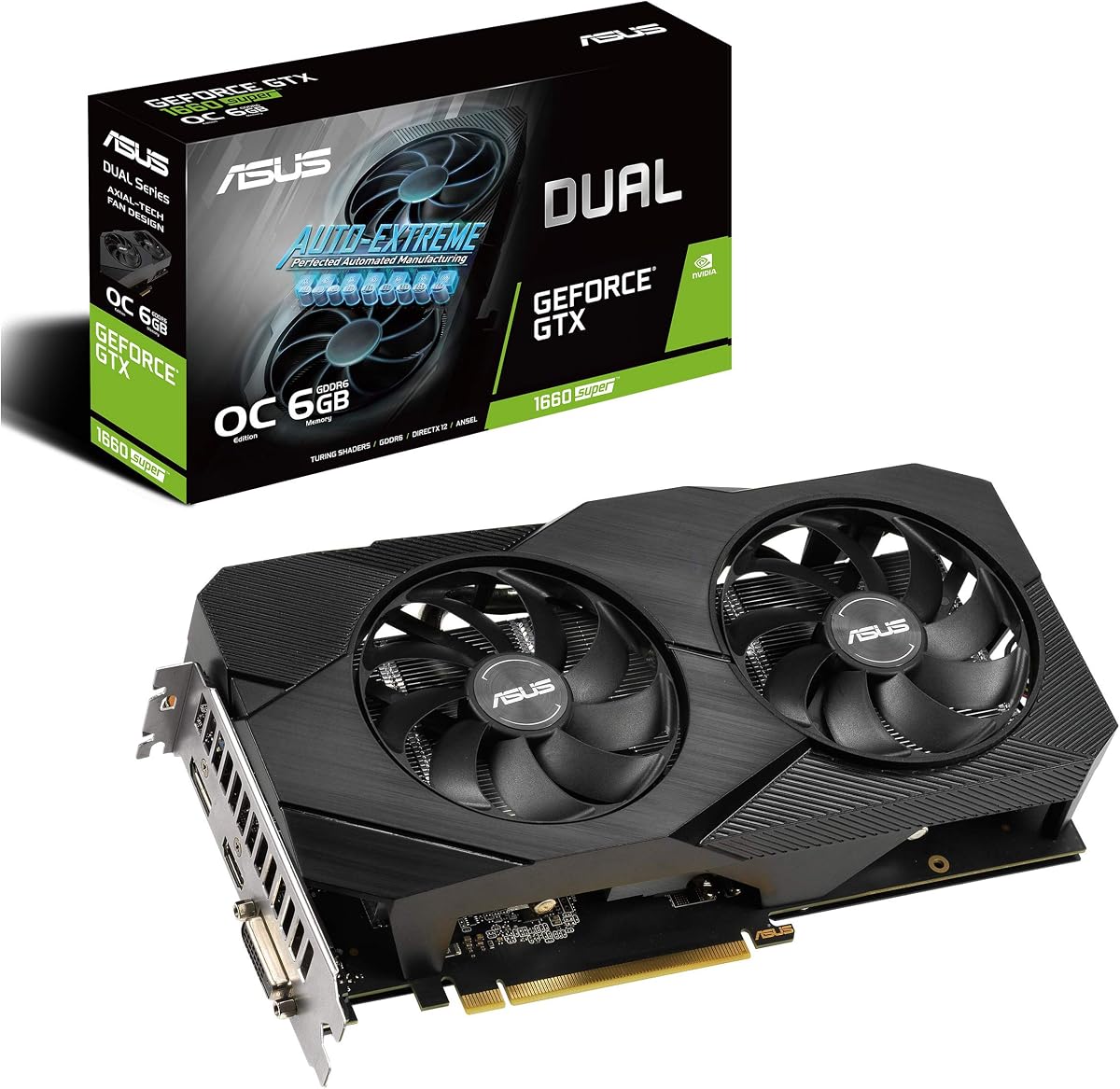


This card is a top pick for the ASUS Prime A320M K due to its strong performance and compact design. With a 4.7 rating it offers reliability and modern features like ray tracing.
We may earn a commission when you buy through this link, at no additional cost to you.
The NVIDIA Ampere architecture delivers double FP32 throughput and improved efficiency. The Axial-tech fans ensure quiet cooling while the dual slot design fits small cases easily.
While powerful it may require a PSU upgrade for peak loads. The 6GB VRAM is sufficient for 1080p but limits ultra settings in demanding titles.
Gamers seeking balanced power should buy this. Its mix of speed and size makes it ideal for upgrading older systems like the Prime A320M K.
Second generation RT cores enable realistic lighting effects without heavy frame drops.
Axial-tech fans with barrier rings increase air pressure for better heat dissipation.
We may earn a commission when you buy through this link, at no additional cost to you.
This card provides excellent value for budget-conscious builders. Its 4.6 rating reflects solid performance and durability for everyday gaming tasks.
We may earn a commission when you buy through this link, at no additional cost to you.
TUF compatibility testing ensures seamless work with ASUS motherboards. The space-grade lubricant reduces noise while auto-extreme tech guarantees quality.
It lacks modern features like DLSS but handles esports titles well. Power needs are moderate but check PSU capacity before installing.
Choose this for reliable 1080p performance without overspending. It remains a strong choice for those prioritizing stability and cost.
Cards are tested to work flawlessly with TUF motherboards and chassis for seamless integration.
GPU Tweak II enables real-time performance tracking and streaming tools included free.
We may earn a commission when you buy through this link, at no additional cost to you.
This renewed option offers older performance at a lower price. A 4.2 rating suggests acceptable quality with proper inspection standards.
We may earn a commission when you buy through this link, at no additional cost to you.
Phoenix fans ensure adequate cooling while Super Alloy Power II components boost longevity. It supports up to four monitors easily.
Buyers should check return policies for renewed items. Performance is strong but may show minor cosmetic wear over time.
Ideal for frugal builders needing VR readiness. Verify condition details before purchase to ensure satisfaction with the product.
Products are inspected and tested by qualified suppliers to meet new product standards.
Supports up to four monitors with DisplayPort 1.4 and HDMI 2.0 ports.
We may earn a commission when you buy through this link, at no additional cost to you.
A rare 4.8 rating shows high customer satisfaction for this renewed TUF card. It brings reliable gaming performance at reduced cost.
We may earn a commission when you buy through this link, at no additional cost to you.
TUF compatibility testing ensures motherboard harmony. The dual ball bearings quiet operation while auto-extreme tech adds durability.
Lack of DLSS limits future proofing but 1080p gaming is smooth. Check physical condition upon arrival as with all renewed items.
Buyers seeking affordability with trusted brand features should consider this. It fits well in Prime A320M K upgrades.
Space-grade lubricant brings dual ball bearing durability to quieter sleeve bearing designs.
GPU Tweak II simplifies performance monitoring and streaming with added software suites.
We may earn a commission when you buy through this link, at no additional cost to you.
This renewed Evo edition stands out with a 4.8 rating. It balances compact design with solid gaming performance for casual users.
We may earn a commission when you buy through this link, at no additional cost to you.
Dual-Fan Evo cooling ensures quiet operation. Amazon Renewed Guarantee provides safety nets for buyer protection and replacement.
Performance fits 1080p gaming well. However VR support may lag behind newer options without DLSS features.
Perfect for small cases needing a budget upgrade. Verify return terms and inspect packaging upon delivery carefully.
Products are professionally inspected tested to work and look like new with replacement options.
Dual-Fan Evo design delivers quiet airflow ideal for small cases and silent builds.
We may earn a commission when you buy through this link, at no additional cost to you.
A three year warranty adds value to this reliable Phoenix card. It maintains a 4.5 rating among users seeking stability.
We may earn a commission when you buy through this link, at no additional cost to you.
Phoenix fans last longer while Super Alloy Power II boosts speed and longevity. It offers three monitor support easily.
Lack of modern AI features limits peak performance. But for basic tasks and gaming it delivers consistent results.
Buyers wanting long term protection should choose this. Its balance of support and performance suits many builds.
Includes three year warranty for peace of mind on hardware and performance issues.
Super Alloy Power II components help it run faster and last longer than reference cards.
We may earn a commission when you buy through this link, at no additional cost to you.
This Evo card offers quiet dual fan cooling with a 4.8 rating. It stands out for noise reduction and build quality.
We may earn a commission when you buy through this link, at no additional cost to you.
Dual-fan cooling doubles airflow for quieter gameplay. Three year warranty ensures long term support for buyers.
Pricing may reflect brand value more than raw specs. Performance remains solid for esports and casual gaming.
Choose this if noise and warranty matter most. It suits builders prioritizing silence and reliability.
Dual-fan cooling provides doubled airflow for 3x quieter gameplay without compromising performance.
Auto-extreme technology delivers aerospace-grade Super Alloy Power II components for lasting performance.
We may earn a commission when you buy through this link, at no additional cost to you.
A 12GB VRAM makes this card ideal for future gaming needs. Its 4.6 rating highlights performance and stability.
We may earn a commission when you buy through this link, at no additional cost to you.
NVIDIA Ampere streaming multiprocessors boost FP32 throughput. Axial-tech fans and protective backplate enhance cooling.
Power needs are significant so check PSU specs carefully. But DLSS offers frame boosts for better experience.
Buyers seeking longevity and high resolution gaming should buy. It fits modern needs well with Prime boards.
12GB GDDR6 memory supports higher resolutions and complex textures without bottlenecks.
Axial-tech fan design increases air pressure for better cooling efficiency and durability.
We may earn a commission when you buy through this link, at no additional cost to you.
This card excels in silent operations without fans. A 4.6 rating reflects its niche success in media PCs.
We may earn a commission when you buy through this link, at no additional cost to you.
Passive cooling ensures HTPC operation remains quiet. Auto-extreme tech delivers reliability with low power draw.
Gaming power is limited but enough for light titles. Check case clearance as it fits compact builds well.
Choose for media streaming or office work. It adds display output without noise or heat.
Passive cooling ensures quiet HTPC and multimedia operation without fan noise.
Designed for low power and small cases while supporting DirectX 12 on Windows 10.
We may earn a commission when you buy through this link, at no additional cost to you.
A rare 5.0 rating shows high satisfaction despite age. This renewed STRIX card offers legacy performance for tight budgets.
We may earn a commission when you buy through this link, at no additional cost to you.
DirectCU II + 0dB fan allows silent gaming. It features a large 4GB GDDR5 and diverse outputs.
Power needs may challenge smaller PSUs. Also newer drivers lack support for older titles now.
Buy for budget builds needing multiple outputs. Verify condition and PSU compatibility before purchase.
DirectCU II + 0dB fan technology enables silent gaming at 30% cooler.
DIGI+ VRM with 6-phase Super Alloy Power ensures stable performance under load.
We may earn a commission when you buy through this link, at no additional cost to you.
Choosing the right GPU depends on your needs and system limits. This section outlines key factors to ensure compatibility and performance.
The ASUS Prime A320M K supports PCIe 3.0 x16 slots. Ensure the GPU fits physically and uses this interface for optimal speed.
Check slot clearance in your case and confirm the card does not block other ports or RAM slots.
Higher-end cards require dedicated power connectors and sufficient wattage. Check your PSU meets the recommended requirements before buying.
Underpowered PSUs can cause instability or system shutdowns. Always upgrade power if needed for peak performance.
VRAM capacity impacts resolution and texture quality. Aim for 6GB or more for modern gaming and 4GB for lighter tasks.
Match memory to your use case. High memory ensures future proofing while low memory reduces costs for basic setups.
Cooling design affects both performance and sound levels. Look for cards with multiple fans or advanced fan tech for quiet operation.
Consider case airflow too. Good ventilation prevents overheating and extends component lifespan over time.
Warranty length indicates manufacturer confidence. Longer terms protect against defects and offer peace of mind for buyers.
Check return policies especially for renewed products. Certified refurbishment often includes guarantees similar to new items.
Ensure the GPU supports your monitor connections. HDMI and DisplayPort options vary across models for different resolution needs.
Multiple outputs help multi monitor setups. Match port types to your display setup to avoid adapters.
Set a spending limit early. Balance cost with performance to avoid overspending on features you may not use.
Refurbished options provide high value if inspected well. Compare prices against new models for the best deal.
Consider upcoming game requirements. Cards with newer architectures like Ampere offer better longevity and feature support.
DLSS and ray tracing enable modern gaming experiences. Investing slightly more now may save upgrades later.
Install the GPU securely in the PCIe slot and connect power cables. Ensure no other components block airflow or physical fit.
Install latest drivers from NVIDIA or ASUS websites. Use GPU Tweak II to monitor temps and adjust settings as needed.
Regular cleaning prevents dust buildup. Use compressed air to clear fans and heat sinks for optimal cooling and quiet operation.
Yes it uses PCIe 3.0 x16 which the motherboard supports. Ensure your PSU has adequate wattage and connectors for stable performance.
Most modern GPUs require dedicated 6 or 8 pin connectors. Check your PSU capacity and cables before installing to avoid instability.
GTX 1660 Super or RTX 3050 offer great value. Both handle 1080p titles well without demanding high system resources.
Yes but power needs increase significantly. Ensure you have a 650W PSU and enough case clearance for the larger card.
Renewed units cost less while being tested for function. Look for Amazon Renewed Guarantee for protection on replacement or refunds.
Use ASUS GPU Tweak II software included with most cards. It shows real-time temps usage and allows overclocking adjustments.
No it supports single GPU only. Multiple GPUs are not compatible due to slot and chipset limitations on this board.
Usually none are needed for modern GPUs. Keep BIOS updated to ensure maximum PCIe compatibility and stability with new cards.
Top picks include RTX 3050 for balance and GTX 1660 Super for value. Renewed options offer budget friendly alternatives with reliability.
Prioritize compatibility and power needs when selecting. Avoid cards that exceed PSU limits or case clearance to prevent issues.
Prices and stock change so check current deals before buying. Verify warranty terms especially for refurbished items.