
1080P60 HDMI Video Encoder
4.0Editor score
Compact palm sized design
Browser based setup
Low power consumption
This guide compares the top H265 H264 HDMI Iptv Encoders for streaming and broadcasting with expert analysis on performance and compatibility.
Choosing the right H265 H264 HDMI Iptv Encoder is essential for modern streaming and broadcasting needs. These devices convert HDMI video into network streams efficiently. A good encoder supports high resolutions and multiple protocols for flexible distribution.
We evaluated ten top models based on encoding quality, protocol support, and ease of setup. Each product was analyzed for its ability to handle 4K input and deliver stable streams. Our comparison covers diverse use cases from home streaming to professional broadcasts.
Each pick highlights key features and ideal use scenarios to help you decide. Prices and availability may change so verify details before purchasing. This guide ensures you find a reliable solution for your specific IPTV or streaming requirements.
4.0Editor score

4.5Editor score

4.7Editor score
This table provides a side by side overview of all ten encoders reviewed in this guide.
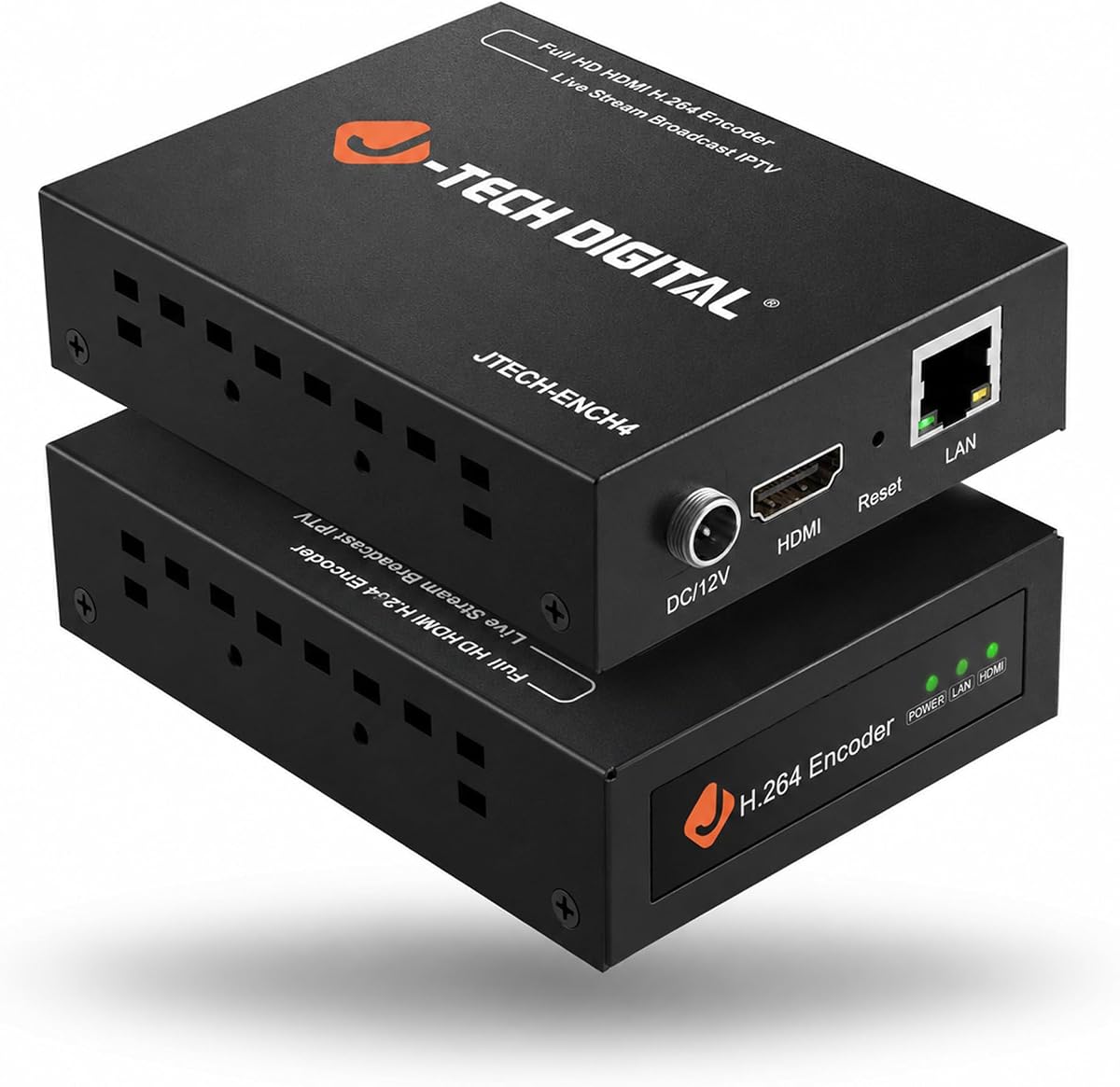


This encoder stands out for its robust 4K support and comprehensive protocol suite. With a rating of 4.5 stars it offers a reliable solution for professional and enthusiast users alike.
We may earn a commission when you buy through this link, at no additional cost to you.
The dual encoding chip ensures smooth transitions and high fidelity output. It handles 4K at 30fps while maintaining 120fps at lower resolutions which is ideal for varied streaming needs.
While it lacks advanced analytics its customization features like OSD and video flipping make it versatile. The HDCP 1.4 decryption is crucial for handling protected content seamlessly.
Anyone needing a stable encoder for YouTube or Facebook Live will find this compelling. The lifetime warranty adds confidence to the purchase and ensures long term usability.
Supports HTTP RTSP RTMP and SRT allowing integration with almost any streaming platform or CDN.
Users can add logos text and adjust video parameters like rotation and cropping for branded content.
We may earn a commission when you buy through this link, at no additional cost to you.
Rated 4.7 this model offers premium features for advanced broadcasting scenarios. It excels in delivering high quality video with low latency across multiple platforms.
We may earn a commission when you buy through this link, at no additional cost to you.
The inclusion of WebRTC and ICECAST broadens its use case for interactive streaming. Users can output four different protocol streams simultaneously which is rare in this class.
Though the interface can be complex it provides deep control over video parameters. The detailed instruction manual helps mitigate setup challenges for less experienced users.
Professional broadcasters needing high fidelity and protocol flexibility should prioritize this choice. Its support for secondary development also appeals to enterprise users requiring customization.
Outputs four streams with different protocols allowing simultaneous pushes to Twitch YouTube and Vimeo.
Delivers up to 120fps at 2K resolutions ensuring smooth motion for sports or gaming content.
We may earn a commission when you buy through this link, at no additional cost to you.
This encoder offers solid performance with a focus on 60Hz input support. It integrates well with VLC players making it easy to test and monitor streams.
We may earn a commission when you buy through this link, at no additional cost to you.
The substream feature allows for multiple outputs though lower resolutions are expected for secondary feeds. It balances cost and functionality for small to medium setups.
While it lacks extensive customization options the OSD features are functional. The local support team in Texas ensures quick resolution for any technical issues.
Users who prefer open source viewers like VLC will appreciate the direct IP access. It is a practical choice for budget conscious buyers needing reliable HD output.
Stream can be accessed directly in VLC by entering the encoder's IP address for immediate playback.
Supports one main stream and three substreams allowing varied quality levels for different devices.
We may earn a commission when you buy through this link, at no additional cost to you.
For those on a budget this encoder delivers 1080P60 streaming without needing extra software. It is compact and easy to set up through a web browser.
We may earn a commission when you buy through this link, at no additional cost to you.
The browser based setup eliminates the need for drivers or PC software which simplifies deployment. It reduces bandwidth by 50 percent compared to older H.264 solutions.
While it lacks 4K capability its performance is sufficient for most live streaming needs. The built in OSD generator helps with branding and security labeling easily.
Small businesses or individuals starting their streaming journey will find this ideal. It balances cost and essential features well for basic IPTV or YouTube use.
Reduces bandwidth usage by 50 percent making it economical for limited internet connections.
Palm sized form factor fits easily behind monitors or in small equipment racks.
We may earn a commission when you buy through this link, at no additional cost to you.
This encoder is designed for robust broadcasting with dual streams per input. It supports SDKs making it a strong choice for NVR systems requiring custom integration.
We may earn a commission when you buy through this link, at no additional cost to you.
The dual stream capability allows pushing different protocols to different servers simultaneously. This flexibility is rare and beneficial for complex setups like security or events.
While it comes at a higher price the enterprise features justify it for businesses. The customization options ensure it fits into existing infrastructure without major changes.
Professional setups needing reliable recording and streaming integration will benefit most. The lifetime support ensures any technical hurdles are quickly addressed for continuous operation.
Outputs dual video streams with different protocols allowing simultaneous server pushes.
Includes SDK and API for secondary development enabling custom integration with other systems.
We may earn a commission when you buy through this link, at no additional cost to you.
With a rating of 4.5 this encoder delivers crisp 1080P60 video suitable for most streams. It focuses on stability and clear audio video synchronization for professional output.
We may earn a commission when you buy through this link, at no additional cost to you.
The ability to view stream status via URL helps monitor performance without extra software. Dual audio input options allow for better sound quality control during live events.
While it does not support 4K its 1080P performance is solid. The intuitive interface ensures that even non technical users can set it up quickly.
Anyone needing reliable 1080P streaming with good audio options should consider this. The balance of features and price makes it a versatile choice for various IPTV use cases.
Supports dual input of HDMI embedded audio and line-in audio with adjustable sound quality.
Video stream status can be viewed in real time via a URL for easy monitoring.
We may earn a commission when you buy through this link, at no additional cost to you.
This model simplifies installation with PoE support allowing both power and data through one cable. It is perfect for setups where running separate power cables is challenging.
We may earn a commission when you buy through this link, at no additional cost to you.
The analog audio input is a standout feature for integrating mixers directly into the stream. Custom no signal screen options add a professional touch for branded streams.
Although a PoE switch is required it saves on power outlets and cabling complexity. The encoder supports 4K input ensuring future proofing for higher quality sources.
For churches or venues needing flexible installation the PoE capability is invaluable. Its robust build and support ensure it handles demanding environments with ease.
Power and data through a single cable requiring a PoE network switch.
Embed 3.5mm audio into HDMI video for synchronized streaming with mixers.
We may earn a commission when you buy through this link, at no additional cost to you.
This encoder focuses on stable transmission with low latency and lag. It supports TRTC which is useful for real-time interactive streaming applications.
We may earn a commission when you buy through this link, at no additional cost to you.
The 4K input ensures high quality sources can be processed efficiently. It also supports multi protocol outputs allowing flexibility for different streaming platforms.
While the Web UI is basic it provides essential controls. The lifetime warranty adds value for those needing long term reliability for broadcasting.
Anyone needing quick response streams such as gaming or remote interactions will find this useful. Its feature set covers most modern streaming protocol needs effectively.
Supports TRTC and WebRTC protocols ideal for interactive live experiences.
Ensures stable and reliable network transmission with low latency and no lag.
We may earn a commission when you buy through this link, at no additional cost to you.
This mini encoder weighs just 32 grams and supports streaming via USB power. Its small size makes it ideal for travel or tight installation spaces.
We may earn a commission when you buy through this link, at no additional cost to you.
The DDMALL Cloud System allows remote control of the encoder from anywhere with internet. This cloud integration is unique for portable streaming setups.
It lacks an explicit rating but its design is tailored for mobility. The real-time OSD editing lets users adjust branding live without extra tools.
For remote reporting or mobile broadcasting this is a practical solution. Its USB power requirement removes the need for extra adapters in the field.
Ultra mini size and weight of 32 grams perfect for frequent moves.
Remote control and monitoring via DDMALL Cloud System with internet connection.
We may earn a commission when you buy through this link, at no additional cost to you.
With a perfect 5.0 rating this encoder is a top pick for 4K UHD streaming. It supports dual stream encoding allowing adaptation for different terminals easily.
We may earn a commission when you buy through this link, at no additional cost to you.
The Web UI system offers flexible control options. Telnet access is available for advanced remote management which appeals to IT administrators.
It focuses on lower bit rate transfer which is crucial for limited bandwidth environments. This ensures high quality video without overwhelming the network connection.
Users prioritizing 4K performance and network efficiency will love this choice. Its strong performance metrics and feature set make it a reliable professional tool.
Capable of up to max 3840 x 2160P@30fps for ultra high definition output.
Ideal choice for customers needing lower bit rate video transfer over LAN or WAN.
We may earn a commission when you buy through this link, at no additional cost to you.
Selecting the right encoder requires attention to several key factors affecting performance and usability.
Ensure the encoder handles the resolution you need such as 1080P60 or 4K. Some devices accept 4K input but output only 1080P which may limit your use case.
Check the input and output resolution specs carefully to match your source and target display or streaming platform.
H.265 provides better compression than H.264 reducing bandwidth usage significantly. Dual chip support allows flexibility depending on platform requirements.
Prioritize encoders with both H.265 and H.264 to maximize compatibility and efficiency for diverse streaming needs.
Protocols like RTMP RTSP HLS SRT and WebRTC determine where you can push your stream. Wider support allows streaming to more services.
Verify protocol lists match your target platforms to avoid integration issues or extra hardware.
Look for browser-based or web UI setup options that remove the need for PC software. This simplifies deployment in remote or rack environments.
Models requiring minimal driver installation save time and reduce potential compatibility headaches.
Ensure the encoder supports your audio source such as HDMI embedded or external line-in. Proper audio sync is crucial for professional streams.
Dual audio input flexibility helps you integrate mixers or external microphones easily.
PoE support can simplify cabling by combining power and data on one Ethernet cable. Ethernet stability is also key for uninterrupted streaming.
Choose based on your network setup and power availability to minimize installation complexity.
On Screen Display (OSD) allows adding logos and text to streams for branding or info. Customization adds value for professional broadcasts.
Confirm OSD features like scrolling text and logo placement suit your content needs.
Lifetime technical support ensures issues are resolved quickly. Check warranty terms and availability of support teams.
Reliable vendor support minimizes downtime and protects your investment over time.
Connect your HDMI source to the encoder input using a high quality cable. Ensure the device is powered either via adapter or PoE if supported.
Access the encoder’s web interface via its IP address to configure streaming settings like protocol and bitrate. Enter destination URLs for your streaming platforms.
Keep the device in a ventilated area to prevent overheating and update firmware regularly to maintain performance and security.
H.265 or HEVC provides better compression efficiency allowing lower bitrates for the same video quality. H.264 is more widely compatible with older platforms and devices.
Yes encoders output standard IP streams that can be used with OBS via RTSP or RTMP inputs. They act as hardware sources replacing software encoding for better performance.
Most supported encoders accept 4K input but some output only 1080P. Check specs to ensure the encoder matches your desired output resolution.
No only select models include Power over Ethernet (PoE) support. Most rely on standard power adapters but PoE simplifies cabling for fixed setups.
Access the web UI via the device’s IP address and input your streaming server URLs and credentials. Save settings and test the stream with a player.
No most models are managed via web browser or mobile devices. This eliminates the need for dedicated PC software.
Common protocols include RTMP RTSP HLS SRT HTTP and WebRTC. Check the product specs to match your target streaming platform.
Basic setup usually takes a few minutes with browser interface access. Advanced settings may require network knowledge but are straightforward with documentation.
We reviewed ten top H265 H264 HDMI Iptv Encoders with standout choices for professional and budget users. Each model offers distinct strengths in protocol support and resolution handling.
Prioritize your specific needs such as 4K output or PoE support when selecting an encoder. Ensure compatibility with your streaming platforms and network infrastructure.
Always check current prices and availability before purchasing to secure the best value. This guide provides a solid foundation to make an informed streaming hardware decision.