
CENMATE Aluminum 4 Bay
4.3Editor score
5Gbps USB 3.0 speed
Aluminum alloy cooling body
Plug and play setup
Choosing the right storage solution is critical for professionals and enthusiasts alike. A Jbod Enclosure allows you to connect multiple hard drives directly to your computer for expanded capacity without complex network setup.
We evaluated ten top models based on transfer speeds, drive compatibility, build quality, and thermal management. Each product offers unique features tailored to different workflows ranging from media editing to enterprise backups.
Each pick highlights specific strengths and trade-offs to guide your decision. Remember that availability and pricing can shift rapidly, so verify current stock before making a final purchase decision online.
4.3Editor score

4.2Editor score
4.1Editor score
As an Amazon Associate we earn from qualifying purchases.
The following table provides a side-by-side comparison of all ten selected models. Review the specifications to determine which enclosure meets your specific storage and performance requirements.




The TERRAMASTER D4-320 stands out as a robust Direct Attached Storage solution for users requiring high speed data access. With a rating of 4.2 stars, it balances performance and ease of use effectively across multiple operating systems.
We may earn a commission when you buy through this link, at no additional cost to you.
Its USB 3.2 Gen2 interface delivers up to 10Gbps speeds making it ideal for transferring large video files quickly. The hot swappable feature allows you to replace drives without powering down the unit ensuring minimal workflow interruption.
While it lacks RAID functionality this design ensures flexibility for those who prefer individual drive management. The noise levels are impressively low during standby but the cooling fan can become audible under sustained heavy usage.
This enclosure is perfect for video editors and professionals who need reliable external storage without complex network configurations. Its tool free design simplifies drive upgrades and maintenance significantly.
The USB 3.2 Gen2 protocol ensures that your files move at lightning fast rates reducing wait times during large backups or media transfers.
Users can plug this enclosure into Mac Windows or Linux systems instantly without needing to install any additional drivers or software utilities.
We may earn a commission when you buy through this link, at no additional cost to you.
The CENMATE Aluminum 4 Bay offers an excellent entry point for users seeking expandable storage without breaking the bank. It holds a 4.3 star rating reflecting its reliability for basic to moderate storage needs.
We may earn a commission when you buy through this link, at no additional cost to you.
Constructed from aluminum alloy this enclosure provides effective heat dissipation to protect your drives. The USB 3.0 interface delivers sufficient speed for general file transfers and backups while remaining cost effective.
Users should note that the cooling fan runs continuously which might be disruptive in quiet environments. However the tool free design makes managing drives straightforward for anyone without technical expertise.
Ideal for home users or small offices this model provides a balance of price and performance. It supports up to 80TB total capacity ensuring room for future storage growth.
The aluminum alloy body acts as a heatsink helping to maintain optimal operating temperatures for your hard drives during extended use.
Installing and removing drives requires no special tools as the design allows for quick access to all internal bays effortlessly.
We may earn a commission when you buy through this link, at no additional cost to you.
The IO CREST 8-Bay enclosure is designed for users who need significant storage expansion without network complexity. Its 4.0 star rating suggests it meets expectations for basic external storage tasks effectively.
We may earn a commission when you buy through this link, at no additional cost to you.
With eight bays you can accommodate multiple large capacity drives for a total storage solution. The independent control switches allow you to power down specific drives saving energy when full capacity is not needed.
The smart fan function adjusts speed based on thermal sensors keeping the unit cool without constant noise. However the size of the unit requires ample desk space and power management.
This model is best suited for power users who need to store large archives locally. It supports a wide range of drive brands ensuring you are not locked into specific hardware choices.
Each drive bay has its own switch allowing you to manage power usage and heat generation for individual disks independently.
Built-in sensors automatically adjust fan speed to maintain safe operating temperatures reducing noise when full cooling is not required.
We may earn a commission when you buy through this link, at no additional cost to you.
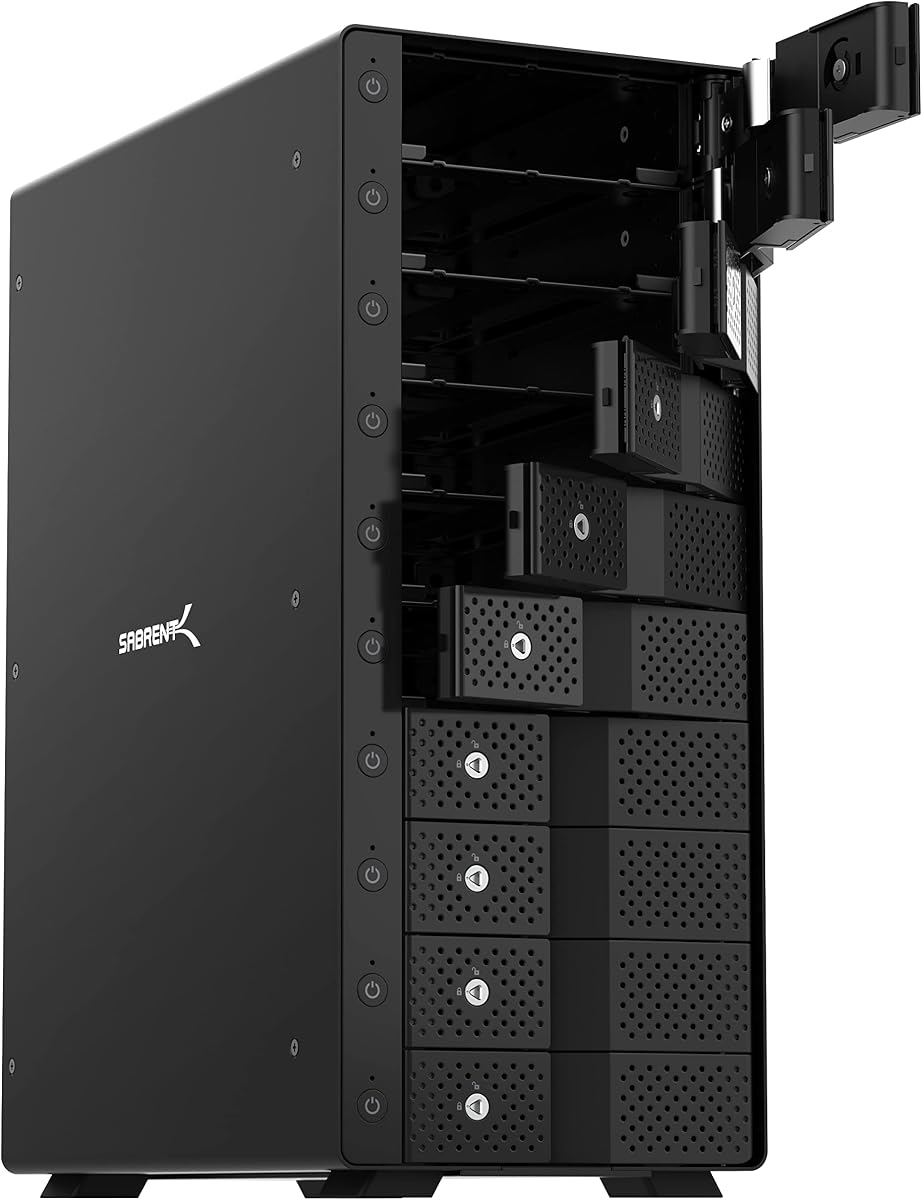
The SABRENT 10-Bay USB-C delivers exceptional performance for professionals managing large media libraries. It holds a 4.1 star rating reflecting its solid build and high-speed data capabilities.
We may earn a commission when you buy through this link, at no additional cost to you.
Featuring ten bays this enclosure supports up to 200TB of storage making it one of the most expandable options available. The USB-C 10Gbps connection ensures that large files transfer rapidly between drives and host.
The tray-less design allows you to slide drives in without trays which simplifies physical setup. Two large cooling fans work together to keep the enclosure cool even when all bays are populated.
This premium model is ideal for content creators who need rapid access to massive archives. While it requires a compatible USB host the performance gains justify the investment for serious users.
Drives can be inserted and removed without trays allowing for quicker changes and easier management of your storage hardware.
The USB-C 10Gbps interface ensures that your transfers are not bottlenecked by connection limitations providing fast data movement.
We may earn a commission when you buy through this link, at no additional cost to you.
The QNAP TR-004 bridges the gap between simple storage and network attached storage with hardware RAID capabilities. Its 4.2 star rating indicates strong performance for users invested in the QNAP ecosystem.
We may earn a commission when you buy through this link, at no additional cost to you.
This unit connects via USB Type-C and supports various RAID configurations including RAID 0 1 and 5. This adds a layer of data redundancy without requiring a full NAS server setup.
It functions as an external storage pool for your existing QNAP NAS expanding your storage capabilities instantly. However it cannot run NAS applications independently limiting its use as a standalone server.
Ideal for QNAP users this enclosure provides flexible storage expansion with hardware RAID protection. The lockable bays add security ensuring your drives remain safe and secure during transport.
Built-in hardware RAID support allows you to configure drives for redundancy or performance without needing software processing on the host computer.
Existing QNAP NAS users can expand their storage pools easily by connecting this unit directly to their existing storage server.
We may earn a commission when you buy through this link, at no additional cost to you.
The QNAP TL-R1200C-RP is a professional-grade rackmount enclosure designed for server environments needing significant storage expansion. With a 4.1 star rating it is built for reliability in business settings.
We may earn a commission when you buy through this link, at no additional cost to you.
It offers twelve bays for massive capacity and includes a 250W redundant power supply to ensure continuous operation. The USB 3.2 Gen 2 connection supports high-speed data transfers between the server and storage.
Designed for rackmounting this unit integrates into standard server racks easily. It serves as a direct attachment to your QNAP NAS systems providing a reliable JBOD extension for your infrastructure.
This model is essential for IT professionals managing large scale data centers. While expensive the redundant power and high bay count make it a dependable choice for enterprise storage.
A 250W redundant power supply ensures that your storage remains active even if one power module fails preventing downtime in critical operations.
The rackmount design allows this enclosure to fit seamlessly into standard server racks maintaining a clean and organized server room environment.
We may earn a commission when you buy through this link, at no additional cost to you.
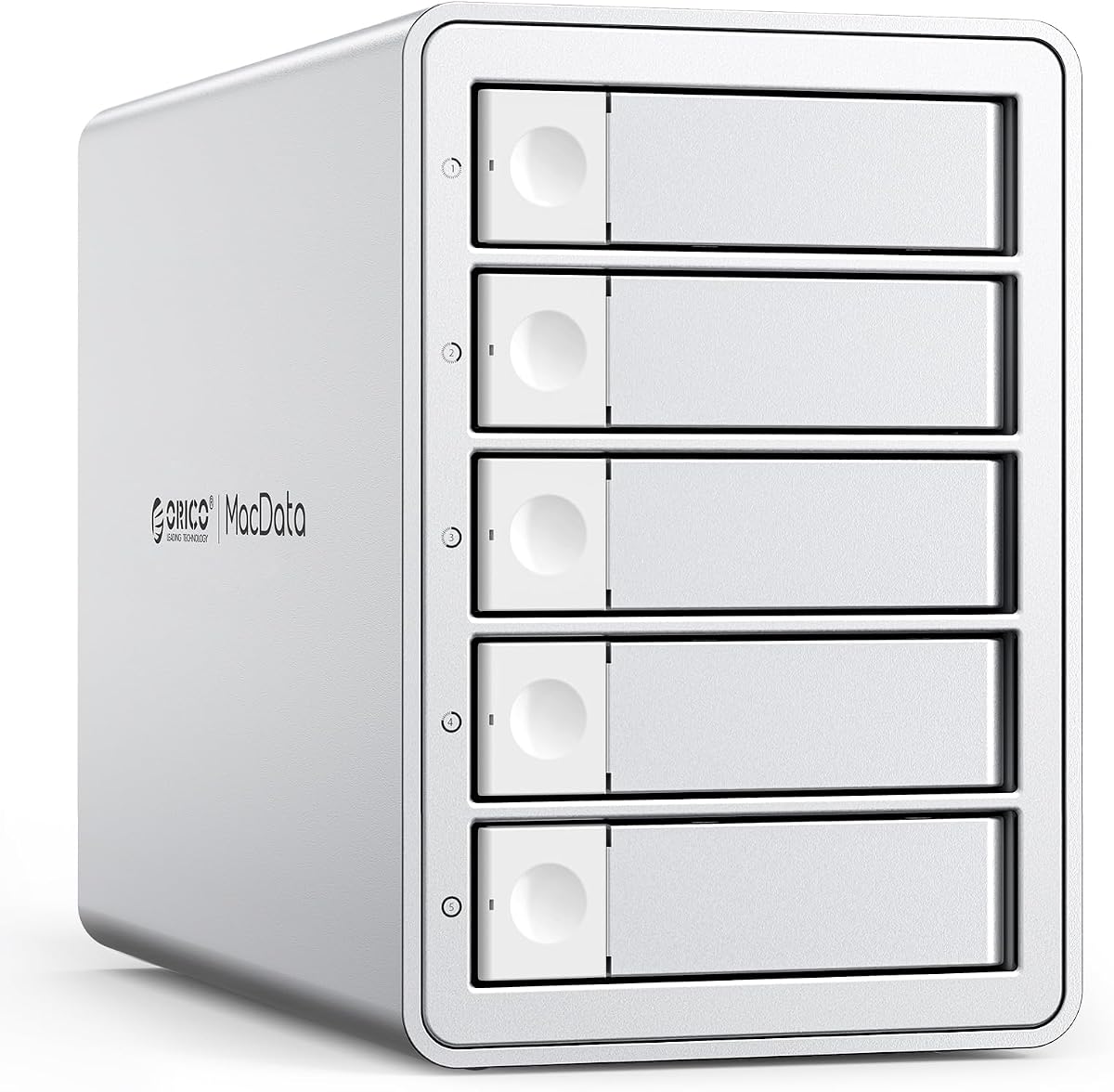
The ORICO 5 Bay RAID enclosure offers a comprehensive solution for users needing RAID functionality without network complexity. It holds a high 4.7 star rating for its reliability and feature set.
We may earn a commission when you buy through this link, at no additional cost to you.
It supports multiple RAID modes including RAID 0 1 3 5 and 10 providing flexibility for performance or data protection. The built-in 150W power supply ensures stable operation even with heavy drive loads.
The aluminum alloy shell and silent cooling fan work together to maintain safe operating temperatures. This design prevents overheating during long file transfers protecting your valuable data effectively.
Ideal for workstations this enclosure handles large projects with ease. It connects via USB 3.0 which is fast enough for most general use cases while offering robust hardware RAID features.
Multiple RAID configurations allow you to choose between maximum speed or data redundancy based on your specific project requirements.
A 150W built-in power supply provides the stability needed to run multiple high-consumption drives simultaneously without external adapters.
We may earn a commission when you buy through this link, at no additional cost to you.
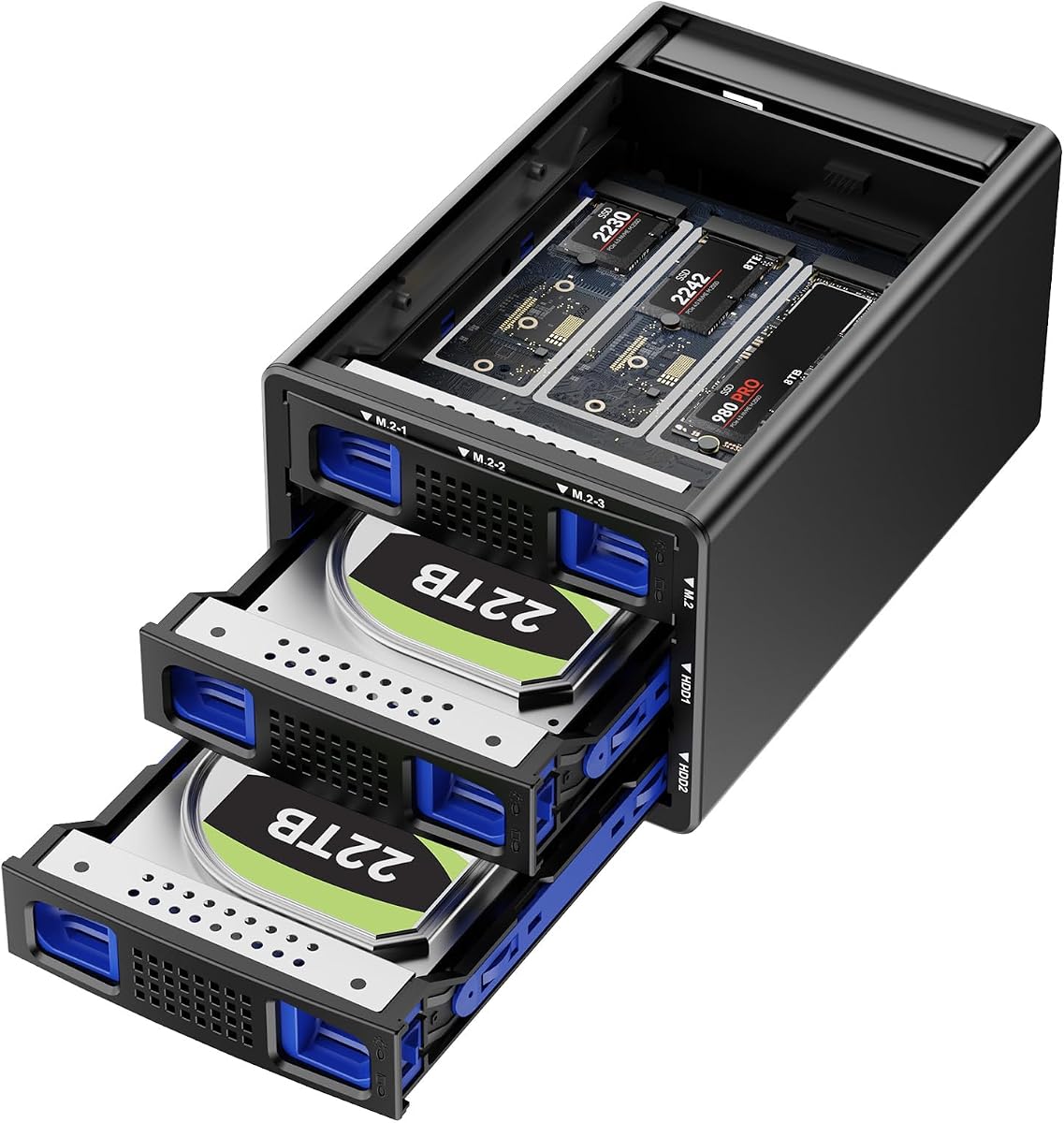
The Hybrid HDD NVMe Enclosure combines traditional hard drive storage with modern NVMe SSD speed in one unit. Its 4.6 star rating reflects its innovation and effective thermal design.
We may earn a commission when you buy through this link, at no additional cost to you.
This enclosure allows you to mix two 3.5 inch SATA drives with three M.2 NVMe SSDs for a hybrid setup. The USB 3.2 Gen 2 interface supports speeds up to 10Gbps for fast access.
Cooling is managed by aluminum alloy construction and silent fans that run continuously to protect the drives. This ensures that even high-speed NVMe SSDs stay within safe temperature limits.
Ideal for power users needing both capacity and speed this model offers a unique solution. It requires careful setup to configure RAID modes correctly but offers significant performance benefits.
Combining HDD and NVMe slots allows you to balance massive storage capacity with high-speed access for frequently used files.
Aluminum materials and dedicated fans ensure that both slow and fast drives operate safely even under heavy thermal loads.
We may earn a commission when you buy through this link, at no additional cost to you.
The ORICO 4 Bay RAID enclosure is a solid choice for users needing versatile RAID options in a compact form. With a 4.3 star rating it delivers consistent performance for desktop users.
We may earn a commission when you buy through this link, at no additional cost to you.
It supports eight RAID configurations including RAID 0 1 3 5 10 and JBOD. The 150W built-in power supply ensures stable operation for multiple drives without needing external bricks.
The aluminum alloy design with silent cooling fans helps manage heat efficiently. A safety lock prevents accidental drive ejection ensuring your data remains secure during operation.
This model is perfect for home labs or creative studios. While limited to 5Gbps speeds it provides excellent value for those needing reliable RAID protection for critical files.
Eight different RAID modes allow you to customize storage for performance redundancy or simple expansion based on your workflow needs.
A built-in 150W power supply ensures your drives receive consistent voltage preventing data errors during heavy read or write operations.
We may earn a commission when you buy through this link, at no additional cost to you.
The OWC Mercury Elite Pro Quad is designed for professionals needing fast external storage for Mac or Windows systems. It holds a 3.7 star rating reflecting its niche appeal and hardware focus.
We may earn a commission when you buy through this link, at no additional cost to you.
Using a USB-C 10Gb/s interface it delivers high-speed data transfers up to 947MB/s. The four universal bays accept both 2.5 and 3.5 inch drives allowing for flexible storage configurations.
While it lacks included software RAID options it focuses on hardware reliability. The aluminum construction ensures effective cooling without needing loud fans for quiet operation.
Ideal for creative professionals this enclosure offers fast access to large files. It is a great choice for those prioritizing speed and build quality over advanced software features.
The USB-C 10Gb/s interface ensures that your data transfers are rapid reducing wait times for large file operations.
Support for both 2.5 and 3.5 inch drives gives you the flexibility to choose the best drive type for your needs.
We may earn a commission when you buy through this link, at no additional cost to you.
Selecting the right Jbod Enclosure requires balancing speed capacity and build quality. Consider the factors below to find a model that fits your specific workflow.
Look for USB 3.2 Gen 2 or Thunderbolt interfaces if you need 10Gbps speeds for large files. Older USB 3.0 ports limit you to 5Gbps which may slow down high capacity drives.
Prioritize newer USB-C connections for backward compatibility and better bandwidth when working with high speed SSDs.
Check the maximum supported capacity per drive and total enclosure. High end models support 30TB per drive whereas budget models may cap at 10TB.
Choose an enclosure that allows future upgrades so you do not need to replace the unit as your storage needs grow.
Ensure the enclosure supports the type of drives you plan to use such as 3.5 inch HDDs or 2.5 inch SSDs. Some models offer hybrid support for both SATA and NVMe drives.
Verify that the drive size matches the bays to avoid physical fit issues when installing new disks.
Enclosures with built-in fans dissipate heat better but may generate more noise during operation. Look for models with silent fan designs if you work in quiet environments.
Aluminum alloy bodies often provide passive cooling which can reduce fan noise but ensure airflow vents are clear for proper ventilation.
Hot swap support allows you to replace drives without powering down the unit which is essential for continuous workflow. Check if the design allows quick removal of drives.
This feature is critical for users who frequently swap drives for backups or archive management.
Tool free designs make it easier to install and remove drives without needing screwdrivers. This saves time and prevents accidental damage during maintenance.
Choose models with secure locking mechanisms to prevent drives from becoming loose during transport.
Some enclosures include a built-in power supply reducing cable clutter and increasing reliability. Others rely on external bricks which can be bulky and prone to failure.
A built-in supply ensures stable power delivery which protects drives from voltage fluctuations during heavy loads.
Decide if you need hardware RAID for data redundancy or if JBOD is sufficient. RAID 1 and 5 offer protection while RAID 0 offers speed.
Be aware that RAID configurations can make data recovery difficult if drives fail without proper backups in place.
Always connect the enclosure to a stable power source before attaching it to your computer. Ensure the USB cable is securely plugged into both the unit and the host port.
Wait for the operating system to recognize the drives before writing data. Properly eject drives via the OS to prevent data corruption before removing them from the enclosure.
Clean the ventilation vents regularly with compressed air to maintain cooling efficiency. Keep the enclosure in a cool dry place to extend the lifespan of your hard drives.
A Jbod Enclosure stands for Just a Bunch of Disks and it allows multiple hard drives to connect to a computer without RAID configurations. It acts as a direct attached storage unit that expands your capacity simply and effectively.
Yes most Jbod Enclosures support both HDDs and SSDs as long as they use the SATA interface. Check the specs to confirm support for 2.5 inch SSDs specifically if you plan to use them.
Most modern Jbod Enclosures are plug-and-play compatible with macOS Windows and Linux. Ensure the drive is formatted correctly for your OS such as exFAT or HFS+ for Mac compatibility.
Standard Jbod does not support RAID functions but some models offer hybrid RAID modes. If you need RAID look for an enclosure that explicitly lists hardware RAID support in its specs.
USB 3.0 provides 5Gbps which is fast for general file transfers. For large video files consider USB 3.2 Gen 2 or Thunderbolt to reach 10Gbps speeds and prevent bottlenecks.
If the enclosure supports hot swapping you can remove and replace drives without powering down the unit. Check the product features to confirm hot swap support before assuming this is possible.
We have reviewed ten top Jbod Enclosure models ranging from budget friendly options to high performance premium units. The TERRAMASTER D4-320 leads as the best overall while the CENMATE offers great value for budget users.
Prioritize speed and capacity based on your specific data needs. If you work with large media files a 10Gbps enclosure is essential but general storage can use 5Gbps models effectively.
Always verify current stock and specifications before purchasing as models may change over time. Choosing the right enclosure ensures your data stays accessible and your workflow remains efficient.